Geometric Pattern in Illustrator

Geometric Pattern in Illustrator

Last weekend I was playing in Illustrator trying to create a simple wallpaper to use on my phone and tablet. I love geometric patterns, but I hadn’t done anything like that in a while. So, I started playing with some ideas inspired by Andy Gilmore. It’s really nice to see how the Pattern Tool in Illustrator facilitates the process of creating patterns these days.

So in this tutorial I will show how to create a simple pattern in Illustrator. The process is pretty straightforward, but I believe it will be really useful when you need to create vector patterns for your projects.

Step 1

Create a new document in Illustrator and then with the Rectangle Tool (M) create a square.

Geometric Pattern in Illustrator

Step 2

Rotate the square 45 degrees.

Geometric Pattern in Illustrator

Step 3

Delete the bottom part in order to create a triangle.

Geometric Pattern in Illustrator

Step 4

Duplicate the triangle and flip it vertically, align them so they are on top of each other. After that selecte the 2 triangles, copy and paste them in place. Rotate the copies so you create a square again with different colors for each triangle.

Geometric Pattern in Illustrator

Step 5

Create a set of squares rotating them so the colors of the triangles are on different places. You can make 2 or 3 rows.

Geometric Pattern in Illustrator

Step 6

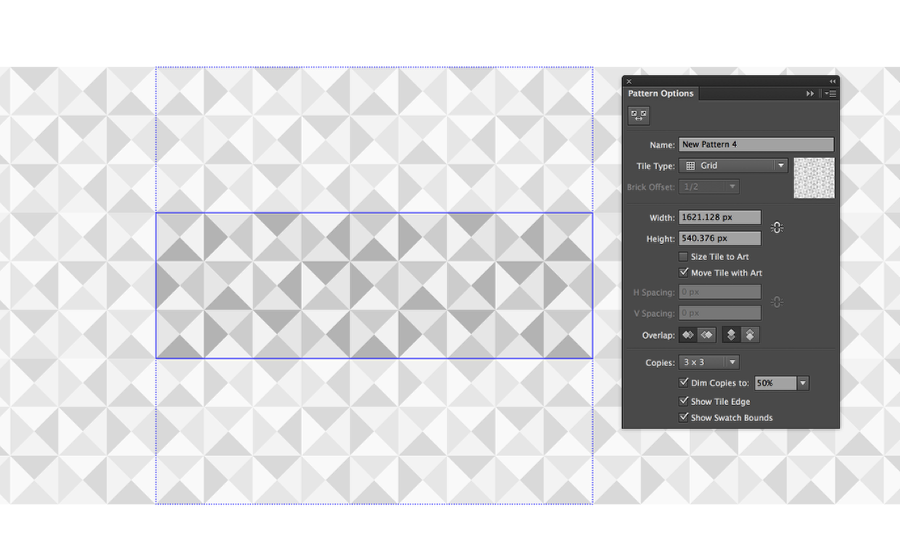
Select the set you created on the previous step and go to Object>Pattern>Make. Add a name for your pattern and play with the options. After that you will have a new pattern in your Swatches pallet.
Geometric Pattern in Illustrator

Step 7

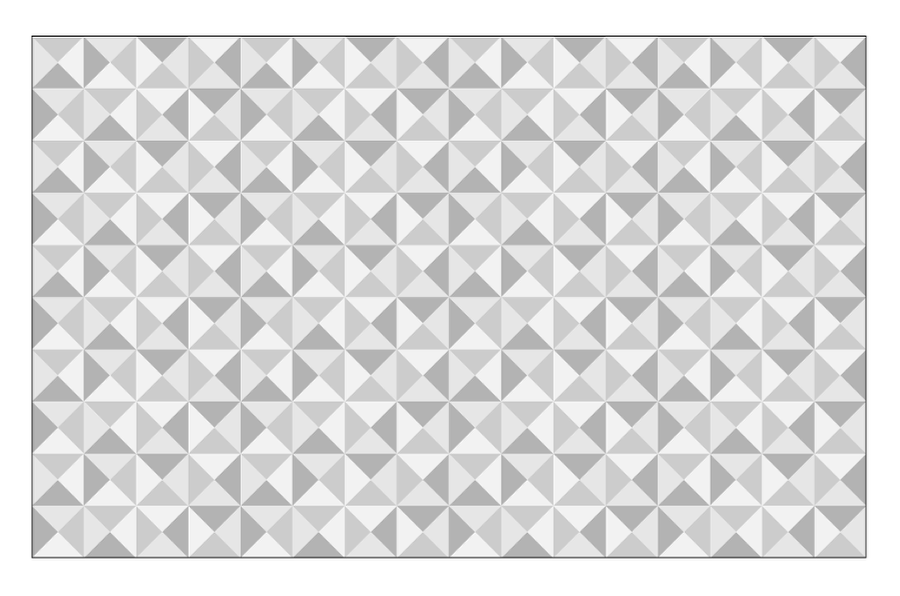
Create a new artboard. I am using 2880×1800 pixels for a desktop wallpaper. After that select the pattern you created in the previous step.
Geometric Pattern in Illustrator

Step 8

Add a new rectangle using a dark blue (#294156) for the color.

Geometric Pattern in Illustrator

Step 9

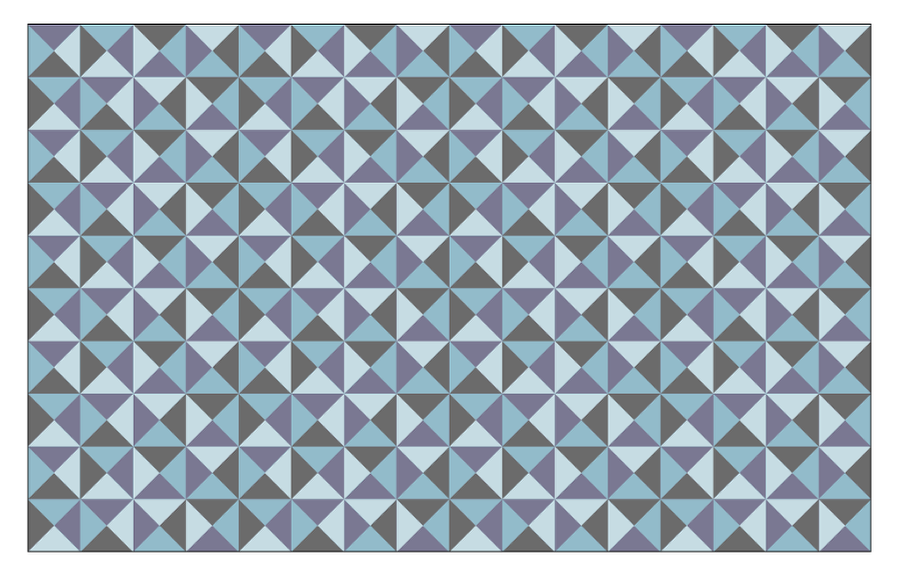
Change the Transparency mode to Color Burn at 40%.
Geometric Pattern in Illustrator

Step 10

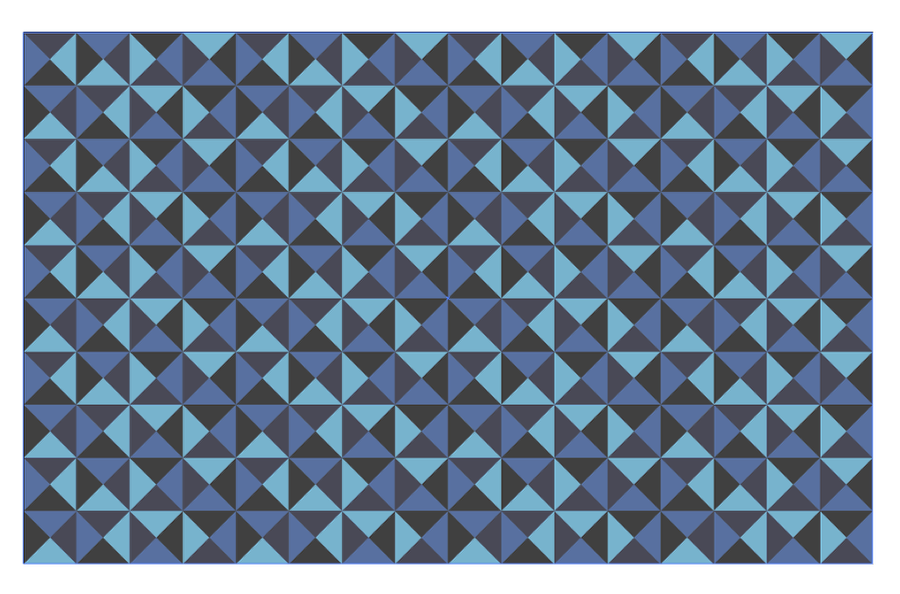
Duplicate the rectangle to make the color a bit more intense.
Geometric Pattern in Illustrator

Step 11

Duplicate the rectangle again and this time use a green (#3D7F39) for the color.
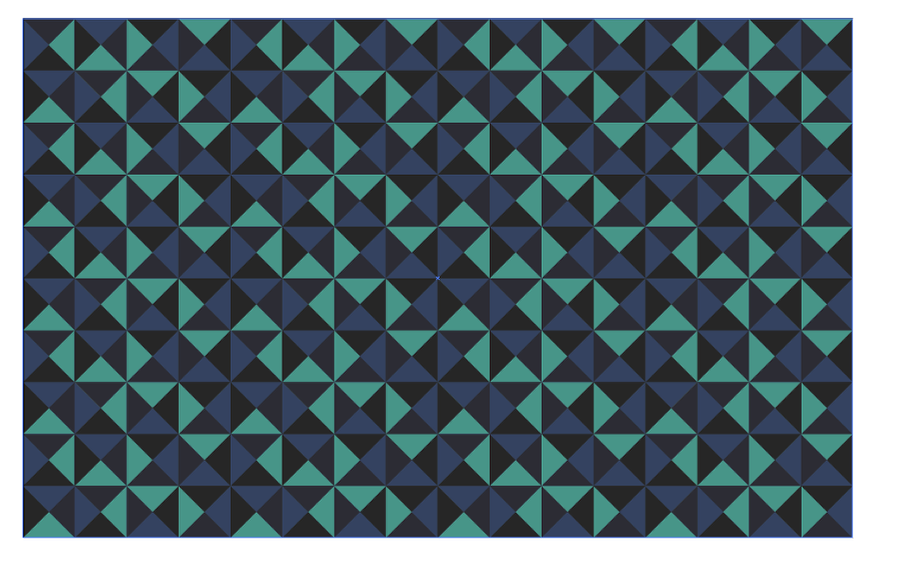
Geometric Pattern in Illustrator

Step 12

Create a line crossing the artboard. Use white for the stroke color.
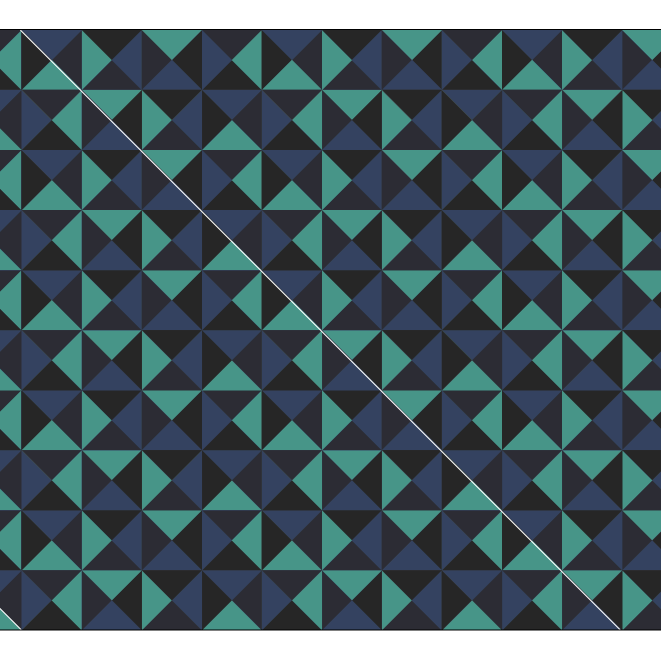
Geometric Pattern in Illustrator

Step 13

Move the line to the left, make sure it align with the bottom square, then duplicate the line and align it with the top right square. After that with the Blend Tool, select both lines and try to find the exact number of steps to match your pattern.
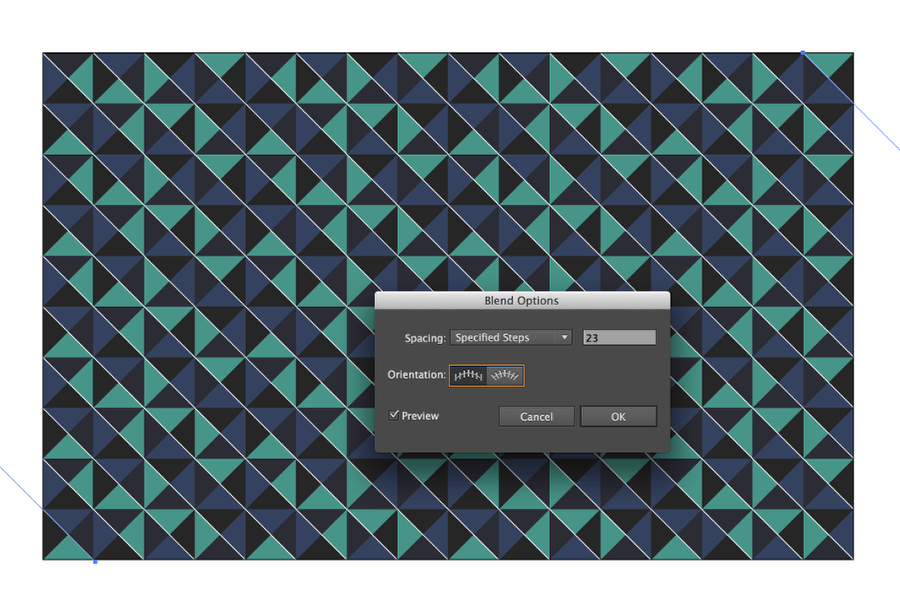
Geometric Pattern in Illustrator

Step 14

Repeate the same steps to create more lines matching the pattern.
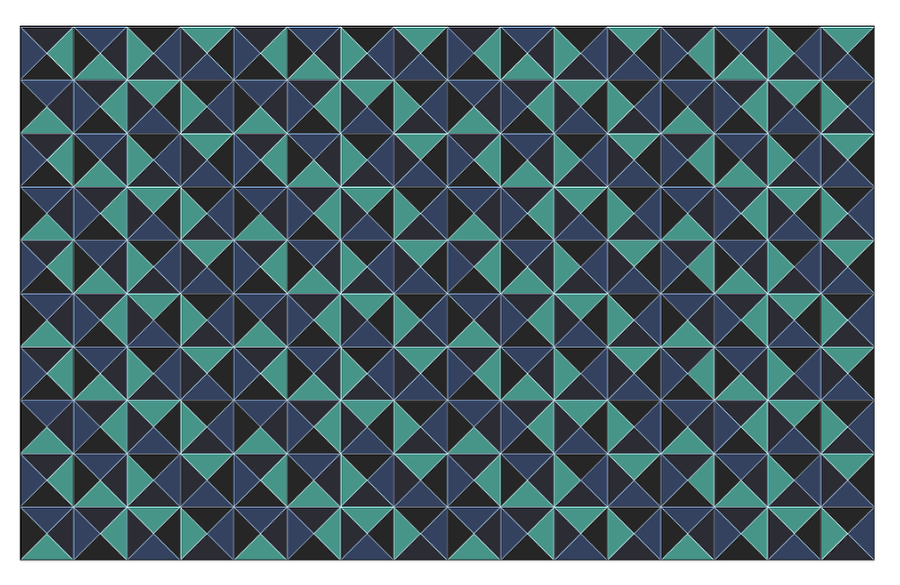
Geometric Pattern in Illustrator

Conclusion

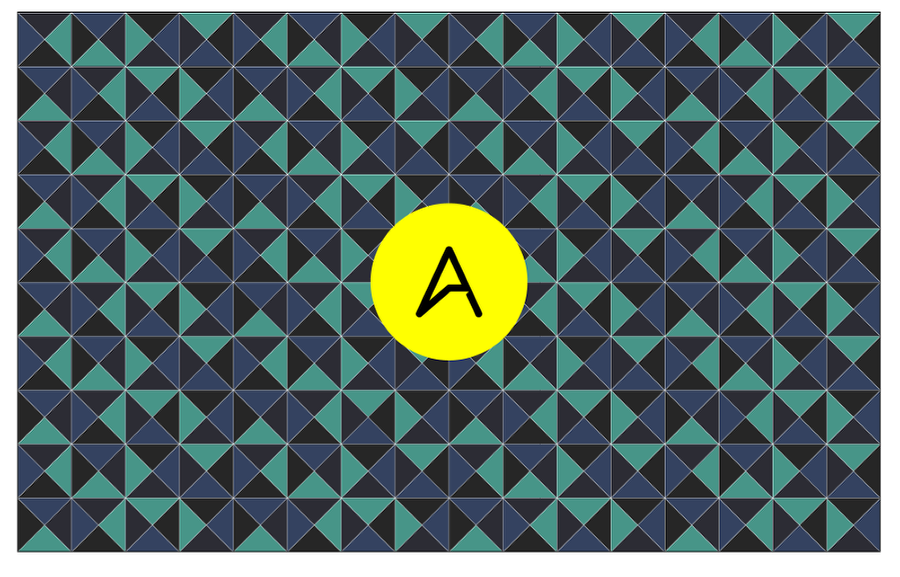
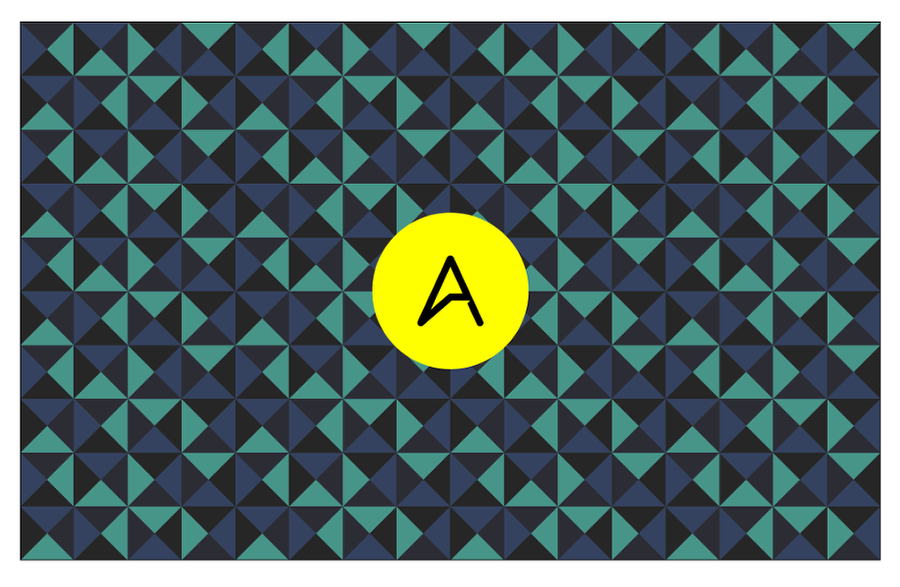
Add the logo in the center of your artboard using a circle to break the pattern flow a little bit. After that your wallpaper will be done. I did that last weekend and I have been using this wallpaper on my computers and tablets since then. I really like the color and the flow, however you can try a version without the white lines if you want it something more subtle.
Geometric Pattern in Illustrator

Geometric Pattern in Illustrator

Download Illustrator file

Download the Illustrator file used for this tutorial

Posted in Blog | Comments Off on Geometric Pattern in Illustrator

Daily Inspiration #1529

Daily Inspiration #1529

This post is part of our daily series of posts showing the most inspiring images selected by some of the Abduzeedo’s writers and users. If you want to participate and share your graphic design inspiration, You can submit your images and inspiration to RAWZ via http://raw.abduzeedo.com and don’t forget to send your Abduzeedo username; or via Twitter sending to http://twitter.com/abduzeedo.

Do you want to see all images from all Daily Inspirations? Check out http://daily.abduzeedo.com

Aeon-Lux

Digital art selected for the Daily Inspiration #1529

aleno

Digital art selected for the Daily Inspiration #1529

archandcolumns

Digital art selected for the Daily Inspiration #1529

aleksivic

Digital art selected for the Daily Inspiration #1529

alwayswright-designs

Digital art selected for the Daily Inspiration #1529

Digital art selected for the Daily Inspiration #1529

Digital art selected for the Daily Inspiration #1529

atworksblog

Digital art selected for the Daily Inspiration #1529

Digital art selected for the Daily Inspiration #1529

Ayoub Elred

Digital art selected for the Daily Inspiration #1529

Azdup

Digital art selected for the Daily Inspiration #1529

bmaverick

Digital art selected for the Daily Inspiration #1529

Digital art selected for the Daily Inspiration #1529

Carles Marsal

Digital art selected for the Daily Inspiration #1529

Digital art selected for the Daily Inspiration #1529

cgartistamit

Digital art selected for the Daily Inspiration #1529

Digital art selected for the Daily Inspiration #1529

crckbtchmthfckr

Digital art selected for the Daily Inspiration #1529

Digital art selected for the Daily Inspiration #1529

cuded

Digital art selected for the Daily Inspiration #1529

Digital art selected for the Daily Inspiration #1529

Digital art selected for the Daily Inspiration #1529

Dimitri Bastos

Digital art selected for the Daily Inspiration #1529

DoMz Designs

Digital art selected for the Daily Inspiration #1529

Eduardo

Digital art selected for the Daily Inspiration #1529

eos-vector

Digital art selected for the Daily Inspiration #1529

Everton Caetano

Digital art selected for the Daily Inspiration #1529

exodart

Digital art selected for the Daily Inspiration #1529

George Martin

Digital art selected for the Daily Inspiration #1529

Digital art selected for the Daily Inspiration #1529

good_neighbour

Digital art selected for the Daily Inspiration #1529

I could spend my life

Digital art selected for the Daily Inspiration #1529

Jerold Sunga

Digital art selected for the Daily Inspiration #1529

Digital art selected for the Daily Inspiration #1529

José Andrés

Digital art selected for the Daily Inspiration #1529

kbansari

Digital art selected for the Daily Inspiration #1529

krantal

Digital art selected for the Daily Inspiration #1529

leibal

Digital art selected for the Daily Inspiration #1529

maandesign

Digital art selected for the Daily Inspiration #1529

manupastrana

Digital art selected for the Daily Inspiration #1529

moralfiber

Digital art selected for the Daily Inspiration #1529

muks-sophisticated-ignorance

Digital art selected for the Daily Inspiration #1529

nicholas

Digital art selected for the Daily Inspiration #1529

Nikie Monteleone

Digital art selected for the Daily Inspiration #1529

Odinio

Digital art selected for the Daily Inspiration #1529

photographyofdavidhanjani

Digital art selected for the Daily Inspiration #1529

Remko Gap

Digital art selected for the Daily Inspiration #1529

samerclock

Digital art selected for the Daily Inspiration #1529

Digital art selected for the Daily Inspiration #1529

Digital art selected for the Daily Inspiration #1529

Digital art selected for the Daily Inspiration #1529

Digital art selected for the Daily Inspiration #1529

samnd

Digital art selected for the Daily Inspiration #1529

shrivatsa4u

Digital art selected for the Daily Inspiration #1529

stylewishh

Digital art selected for the Daily Inspiration #1529

Digital art selected for the Daily Inspiration #1529

tchapakanti

Digital art selected for the Daily Inspiration #1529

teokon

Digital art selected for the Daily Inspiration #1529

Digital art selected for the Daily Inspiration #1529

thiagorav

Digital art selected for the Daily Inspiration #1529

Digital art selected for the Daily Inspiration #1529

Digital art selected for the Daily Inspiration #1529

zeemagine

Digital art selected for the Daily Inspiration #1529

Digital art selected for the Daily Inspiration #1529

Posted in Blog | Comments Off on Daily Inspiration #1529