How to write simple, elegant CSS with Compass & Sass

thumbnailA lot of designers use some sort of CSS pre-processor, whether that be Sass, LESS or Stylus. If you’ve used any of these, you’re probably also aware that Compass is a framework built on Sass, and although its installation may be off-putting, once you use it you’ll quickly discover it’s one of the best skills any web designer can learn.

If you’ve never used Sass before, I’d recommend that you take a look at WDD’s introduction to Sass.

Compass works like a framework for your CSS. When you’re working on a large project it’s easy for things to get out of hand and often finding things in your own CSS is a challenge. Compass attempts to address these problems, with the added benefit of working with vendor prefixes.

What is Compass?

As I said above, Compass is a framework for your CSS that resolves some of the problems with the language. It also includes a few tools to make development faster and easier:

  • like Sass, Compass supports variables, mixins and nesting;
  • it provides a whole range of helper functions for images, colors, typography and more;
  • it supports mathematical calculations;
  • it helps ensure cross-browser compatibility.

Like Sass and LESS, Compass is just a tool to make website design simpler.


How to install Compass

Compass is a Ruby gem, so in order to install it you first need to have Ruby installed on your machine. Fortunately Ruby installation is simple, on Windows you just need to download this Ruby Installer For Windows, on Mac/Linux follow the instructions on the Ruby site.

Once you have Ruby installed, installing compass is as easy as this:

gem install compass

This will install both Compass and Sass.

If you want to create a Compass project, you’d then type:

compass create /path/to/project
cd /path/to/project
compass watch

These three lines of code mean that anytime you change a Sass file they’ll be automatically compiled into CSS.

Alternately, you could use Codekit (Mac) or Prepros (Windows) to compile the Sass when it’s saved.


Getting started with Compass

Compass is divided into modules and in order to start using its utilities we first need to import the module we want into our main .scss file. For example, to import the CSS3 module we’d use:

@import "compass/css3";

Now we can start using the utilities and mixins that Compass offers for the new properties that came with CSS3. The very best thing about this is that we don’t have to type vendor prefixes over and over again, which has always been a problem when it came to CSS3.

Here’s an example, if we wanted to create a simple 3 column layout with a 20px gutter, in CSS we’d need to type:

div
{
        -webkit-column-count:3;
        -moz-column-count:3;
        column-count:3;
        -webkit-column-gap:20px;
        -moz-column-gap:20px;
        column-gap:20px;
}

You can see how unmanageable that quickly makes our code. With the help of Compass and Sass all we need is this:

div
{
        @include column-count(3);
        @include column-gap(20px);
}

As you can see, we’ve removed the vendor prefixes, and what took 6 lines of CSS we accomplished in just 2.

Another example of CSS that requires a lot of typing, is gradients. Here’s how we’d write a simple white to black gradient in CSS:

.gradient
{
        background-image: -webkit-gradient(linear, 50% 0%, 50% 100%, color-stop(0%, #ffffff), color-stop(100%, #000000));
        background-image: -webkit-linear-gradient(#ffffff, #000000);
        background-image: -moz-linear-gradient(#ffffff, #000000);
        background-image: -o-linear-gradient(#ffffff, #000000);
        background-image: linear-gradient(#ffffff, #000000);
}

Creating the same effect with Compass is as simple as:

.gradient
{
        @include background-image(linear-gradient(#fff, #000));
}

Not only does this significantly reduce the amount of code, but if you want to change the colors, in the Compass version you only have to change them once.

There’s a full list of the shortened CSS3 properties here.

Compass also includes some helpers for links, one of which is a real time-saver. First, we need to include the typography model as the start of our main Sass file:

@import "compass/typography"

The typography module has great shorthand for styling colors, like so:

a
{
        // link colors (normal, hover, active, visited, focus)
        @include link-colors(red, blue, grey, red, blue);
}

This is the best thing about Compass; it takes the code we use on a daily basis and gives us shorthand versions.


Conclusion

This article was just a quick introduction to Compass, but if you found the subject as exciting as I do, then I’d strongly advise you to check out their website and explore more of the utilities that are available.

I hope you’ll now consider using Compass and Sass in your projects, because they really are incredible additions to the web designer’s toolbox.


Do you use Compass or Sass? Do you prefer a different pre-processor? Let us know in the comments.

Featured image/thumbnail, compass image via Shutterstock.

MagPress Plugin: Convert any WP Blog to an eBook – only $24!
How to write simple, elegant CSS with Compass & Sass

Source


Posted in Blog | Comments Off on How to write simple, elegant CSS with Compass & Sass

Daily Inspiration #1604

Daily Inspiration #1604

This post is part of our daily series of posts showing the most inspiring images selected by some of the Abduzeedo’s writers and users. If you want to participate and share your graphic design inspiration, You can submit your images and inspiration to RAWZ via http://raw.abduzeedo.com and don’t forget to send your Abduzeedo username; or via Twitter sending to http://twitter.com/abduzeedo

Do you want to see all images from all Daily Inspirations? Check out http://daily.abduzeedo.com

AoiroStudio

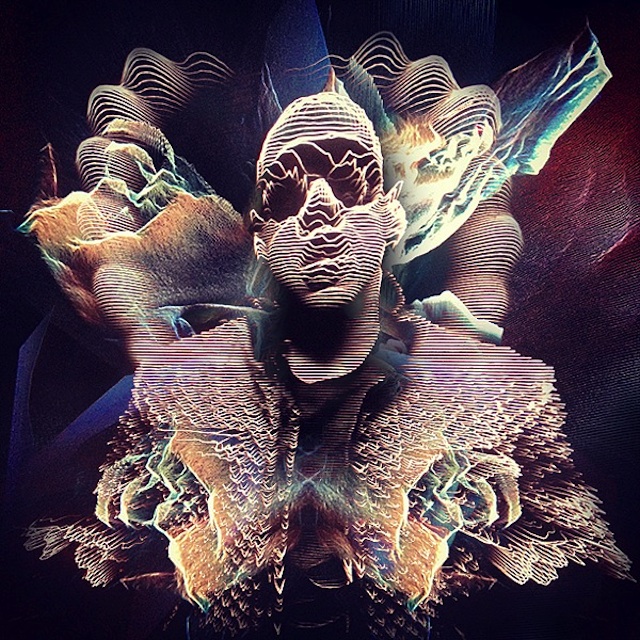
Digital art selected for the Daily Inspiration #1604

Digital art selected for the Daily Inspiration #1604

DesignYouTrust

Digital art selected for the Daily Inspiration #1604

Digital art selected for the Daily Inspiration #1604

Digital art selected for the Daily Inspiration #1604

Digital art selected for the Daily Inspiration #1604

Fabio

Digital art selected for the Daily Inspiration #1604

Digital art selected for the Daily Inspiration #1604

Digital art selected for the Daily Inspiration #1604

Digital art selected for the Daily Inspiration #1604

Fabiano

Digital art selected for the Daily Inspiration #1604

Digital art selected for the Daily Inspiration #1604

Digital art selected for the Daily Inspiration #1604

Digital art selected for the Daily Inspiration #1604

SerialThriller

Digital art selected for the Daily Inspiration #1604

Digital art selected for the Daily Inspiration #1604

Digital art selected for the Daily Inspiration #1604

Digital art selected for the Daily Inspiration #1604

Send your suggestions via Twitter to http://twitter.com/abduzeedo using #abdz in the end of the tweet.

@Daniel_Nelson

Digital art selected for the Daily Inspiration #1604

Digital art selected for the Daily Inspiration #1604

Digital art selected for the Daily Inspiration #1604

Digital art selected for the Daily Inspiration #1604

Send your RAWZ suggestions via Raw.Abduzeedo.com

01mitch

Digital art selected for the Daily Inspiration #1604

Digital art selected for the Daily Inspiration #1604

Digital art selected for the Daily Inspiration #1604

adamcsvaughan

Digital art selected for the Daily Inspiration #1604

Digital art selected for the Daily Inspiration #1604

Digital art selected for the Daily Inspiration #1604

Digital art selected for the Daily Inspiration #1604

ADit Graphics

Digital art selected for the Daily Inspiration #1604

Digital art selected for the Daily Inspiration #1604

Digital art selected for the Daily Inspiration #1604

Digital art selected for the Daily Inspiration #1604

Ayoub Elred

Digital art selected for the Daily Inspiration #1604

Baboom

Digital art selected for the Daily Inspiration #1604

benderbreakfast

Digital art selected for the Daily Inspiration #1604

bnick1

Digital art selected for the Daily Inspiration #1604

Digital art selected for the Daily Inspiration #1604

Caesar Lima

Digital art selected for the Daily Inspiration #1604

Creato

Digital art selected for the Daily Inspiration #1604

CranioDsgn

Digital art selected for the Daily Inspiration #1604

Damian Misiura

Digital art selected for the Daily Inspiration #1604

Dan Anghel

Digital art selected for the Daily Inspiration #1604

Danilo Itty

Digital art selected for the Daily Inspiration #1604

David Amblard

Digital art selected for the Daily Inspiration #1604

davidaustinphotography

Digital art selected for the Daily Inspiration #1604

design junkie

Digital art selected for the Daily Inspiration #1604

Dijana

Digital art selected for the Daily Inspiration #1604

Dridi shafik

Digital art selected for the Daily Inspiration #1604

Evade

Digital art selected for the Daily Inspiration #1604

foryouyouyou

Digital art selected for the Daily Inspiration #1604

hennevogel

Digital art selected for the Daily Inspiration #1604

Digital art selected for the Daily Inspiration #1604

Digital art selected for the Daily Inspiration #1604

João Marcos Britto

Digital art selected for the Daily Inspiration #1604

Jonatan Zorrilla

Digital art selected for the Daily Inspiration #1604

Justas Samalius

Digital art selected for the Daily Inspiration #1604

luxuryaccommodations

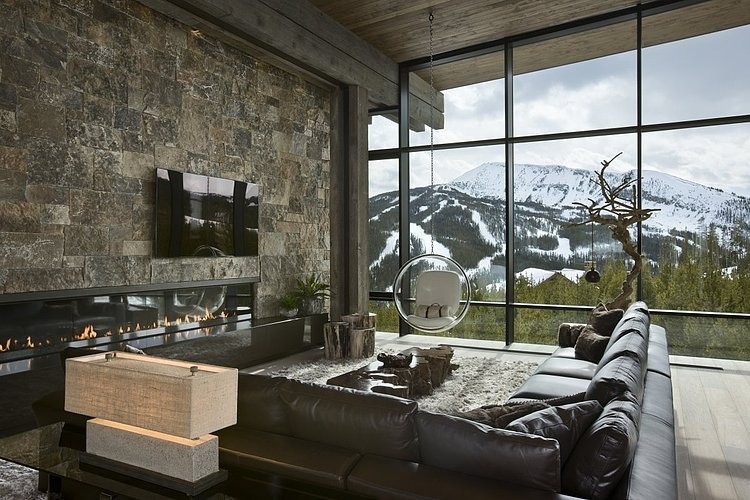
Digital art selected for the Daily Inspiration #1604

Digital art selected for the Daily Inspiration #1604

Digital art selected for the Daily Inspiration #1604

Digital art selected for the Daily Inspiration #1604

maiachaterina

Digital art selected for the Daily Inspiration #1604

minimalkaos

Digital art selected for the Daily Inspiration #1604

mcapmonsta

Digital art selected for the Daily Inspiration #1604

Mike

Digital art selected for the Daily Inspiration #1604

Digital art selected for the Daily Inspiration #1604

mousacre

Digital art selected for the Daily Inspiration #1604

mushcube

Digital art selected for the Daily Inspiration #1604

nana5chan

Digital art selected for the Daily Inspiration #1604

netoakira

Digital art selected for the Daily Inspiration #1604

nicholas

Digital art selected for the Daily Inspiration #1604

Nils Rodenwaldt

Digital art selected for the Daily Inspiration #1604

phoenix2544

Digital art selected for the Daily Inspiration #1604

Shafik dridi

Digital art selected for the Daily Inspiration #1604

TLP MediaWorks

Digital art selected for the Daily Inspiration #1604

Viva La Vandal

Digital art selected for the Daily Inspiration #1604

Voilavala

Digital art selected for the Daily Inspiration #1604

Weecom Digital Agency

Digital art selected for the Daily Inspiration #1604

WhatanArt

Digital art selected for the Daily Inspiration #1604

Digital art selected for the Daily Inspiration #1604

WIRTUO7

Digital art selected for the Daily Inspiration #1604

Posted in Blog | Comments Off on Daily Inspiration #1604