Awesome Light Effect in Pixelmator

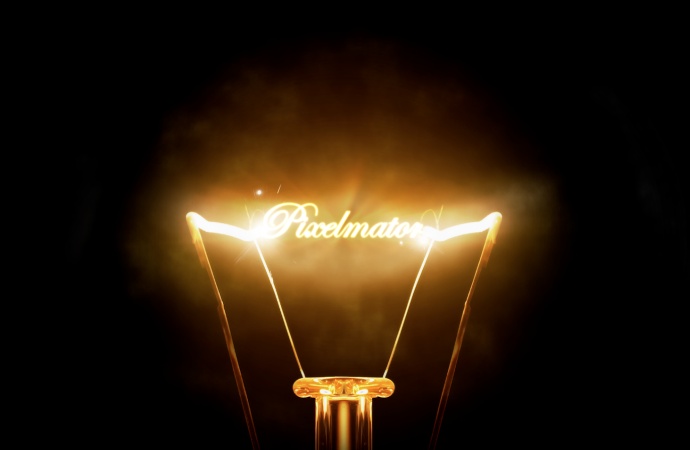
Pixelmator is a really cool tool for image manipulations and editing. It is a really versatile tool for some photo manipulations and the new version of the tools, the 2.0 has a brand new text tool with more options. So I decided to create a light effect using Pixelmator.

In this tutorial I will show you how to create a really cool light effect playing with some photos and basic filters in Pixelmator. The effect is quite simple and it won’t take you more than 30 minutes to achieve the same effect.

Step 1

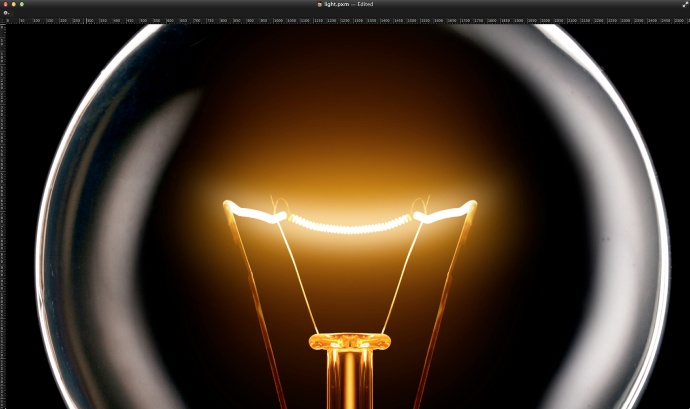
Open Pixelmator and import an image of a light bulb. The one I am using is from Tischenko Irina and it’s called Glowing lamp on black background. The image is courtesy of Shutterstock. Note: Make sure that the filament is in the first plane.
Awesome Light Effect in Pixelmator

Step 2

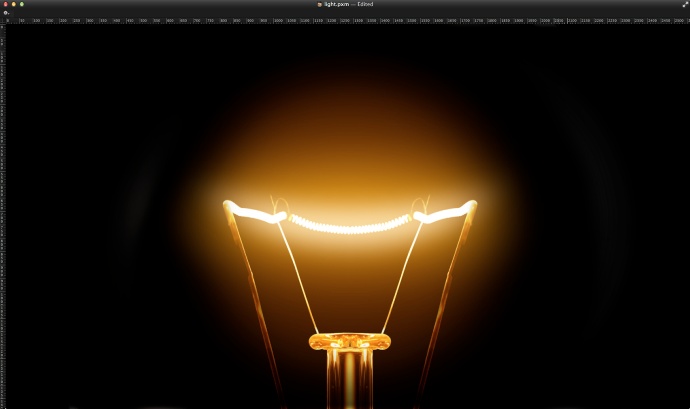
With the Eraser Tool (E) delete the parts of the glass that are being reflected.
Awesome Light Effect in Pixelmator

Step 3

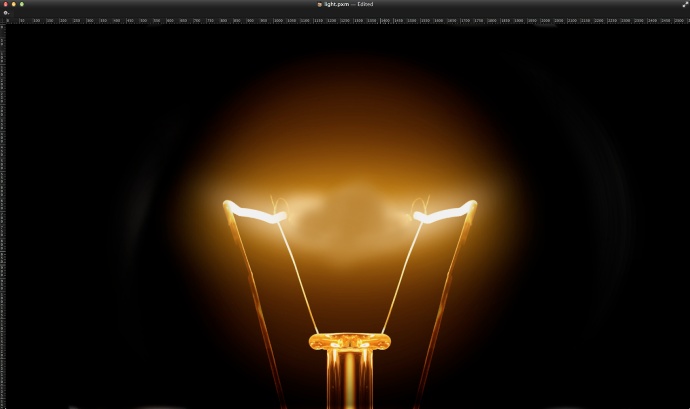
With the Brush Tool (B) click ALT to select a color. Pick the ones closer to the filament but not the filament, we need the yellow behind it so we can hide the filament. Add a new layer and start painting to hide the filament. That are we will add our text.
Awesome Light Effect in Pixelmator

Step 4

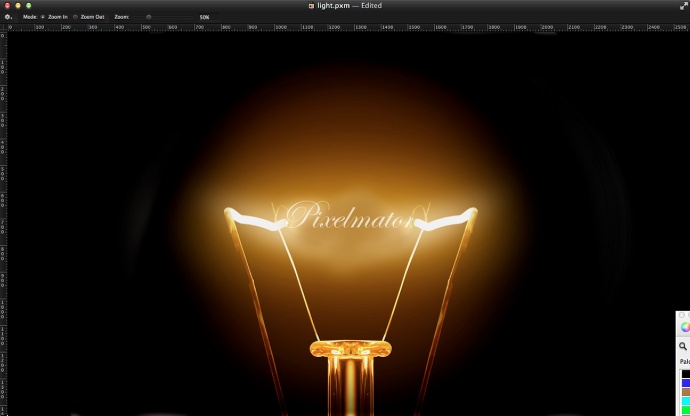
Add the text you want. I added the word Pixelmator using Edwardian Script with white for the color.
Awesome Light Effect in Pixelmator

Step 5

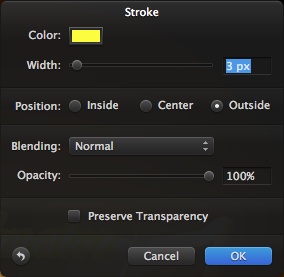
Duplicate the text layer and then go to Layer>Convert into Pixels. After that go to Edit>Stroke. Use yellow for the color, 3 pixels for the width, Outside for the Position. Make sure that the Preserve Transparency is not selected.
Awesome Light Effect in Pixelmator

Step 6

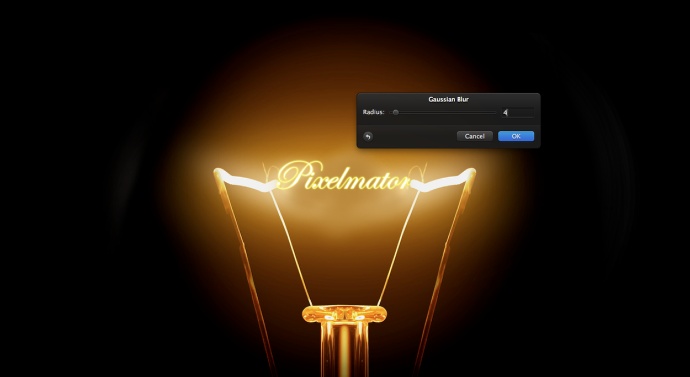
Go to Filter>Blur>Gaussian Blur. Use 4 for the Radius. After that add a new layer and fill it with black using the Paint Bucket Tool (N). Merge the blurry layer with the black layer, then change the Blending to Color Dodge.
Awesome Light Effect in Pixelmator

Step 7

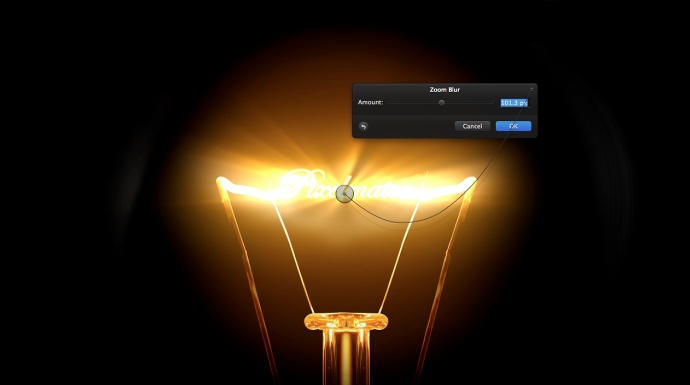
Duplicate the blurry layer from the previous step and go to Filter>Blur>Zoom Blur. Use the image below for reference. After the filter make sure that the Blending is Color Dodge and change the Opacity to 35%.
Awesome Light Effect in Pixelmator

Step 8

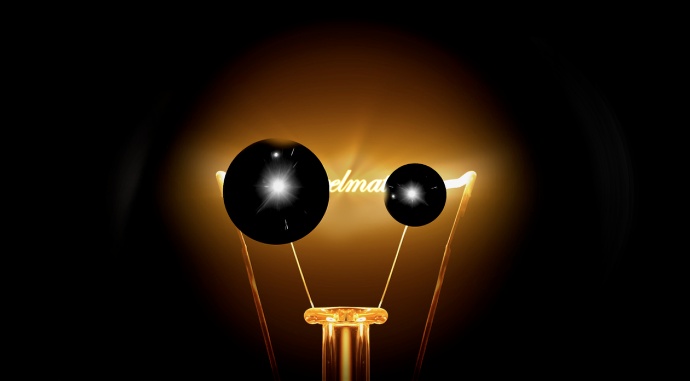
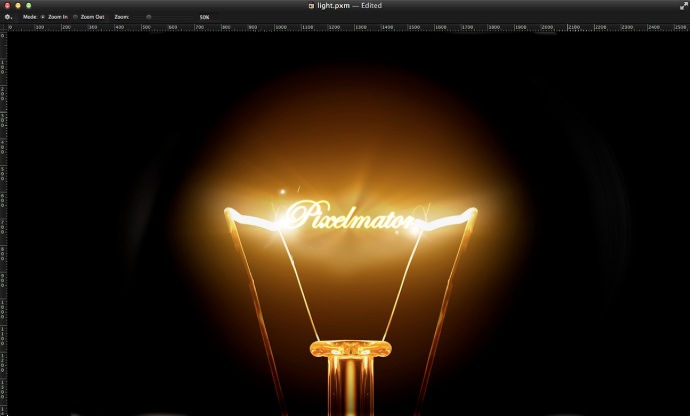
Let’s import some lens flare to make the effect more realistic and a bit cheesier 🙂 The ones I am using can be found here and then desaturate the color and increase the contrast so you have something like the image below.
Awesome Light Effect in Pixelmator

Step 9

Change the blending of the lens flares to screen. Note that I moved them to the connection of the word with the rest of the light bulb.
Awesome Light Effect in Pixelmator

Step 10

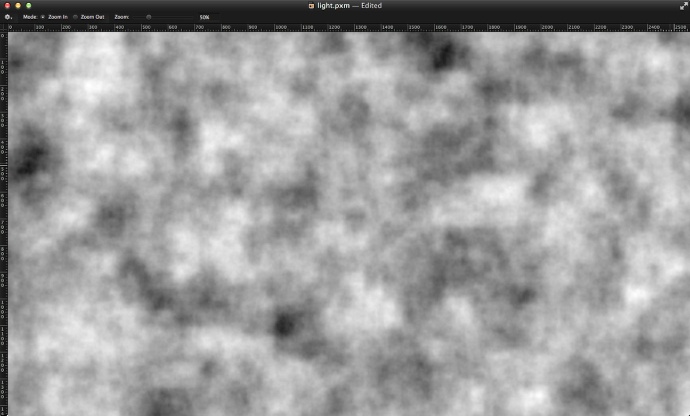
Add a new layer on top of the others and go to Filter>Generator>Clouds. Make sure you have black and white for the color. Also go to Layer>Add Layer Mask. Apply the clouds filter in the layer mask too.
Awesome Light Effect in Pixelmator

Step 11

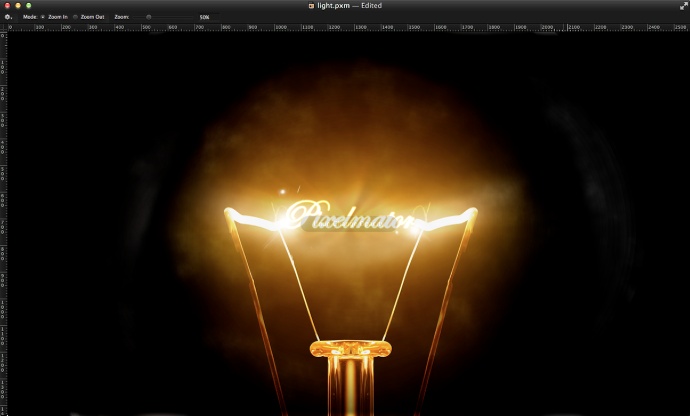
Change the blending mode of the clouds layer to Soft Light at 60%.
Awesome Light Effect in Pixelmator

Step 12

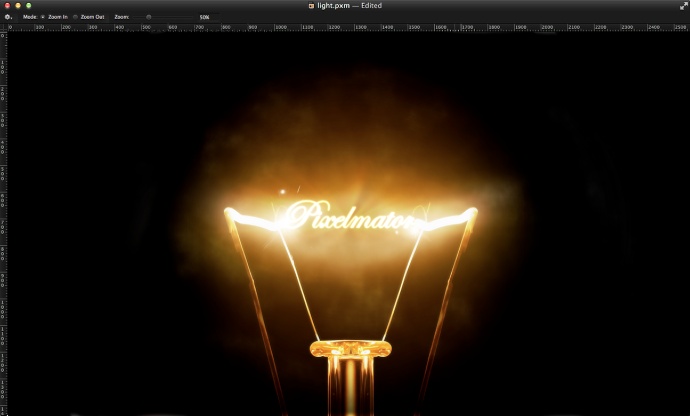
Select all layers and duplicate them. Merge all the duplicated icons into one and go to Filter>Blur>Gaussian Blur. Use 5 for the Radius. After that duplicate the layer. Select one layer and go to Image>Desaturate and change the Blending to Overlay at 50%. For the other layer, change the Blending to Screen at 50%.
Awesome Light Effect in Pixelmator

Conclusion

After a few blending changes and some basic filters we have a nice light effect done. It works really well for wallpapers and you can apply the same technique for other ideas. Now it’s up to you.
Awesome Light Effect in Pixelmator

Download the Pixelmator File

Download the Pixelmator file used for this tutorial

About the author

Abduzeedo is a blog about design. There are all sorts of articles for those who want to look for inspiration. Also you will find very useful tutorials for the most used applications out there, with a special selection of Photoshop Tutorials and Illustrator Tutorials. You can get in follow us via Twitter at @abduzeedo

Sponsored Links:


Abduzeedo Inspiration Guide for Designers at Amazon

Posted in Blog | Comments Off on Awesome Light Effect in Pixelmator

Daily Inspiration #1039

This post is part of our daily series of posts showing the most inspiring images selected by some of the Abduzeedo’s writers and users. If you want to participate and share your graphic design inspiration, just send us, via email, the image with the link from where you found it, also use “Daily Inspiration” in the subject, and don’t forget to send your Abduzeedo username; or via Twitter sending to http://twitter.com/abduzeedo

If possible use the HTML code: <p class="imgC"><a href="Link to the page you found the image"><img src="Link to the Image" /></a></p>

Do you want to see all images from all Daily Inspirations? Check out http://daily.abduzeedo.com

You can also submit your images and inspiration to RAWZ via http://raw.abduzeedo.com/

AoiroStudio

Coolvibe

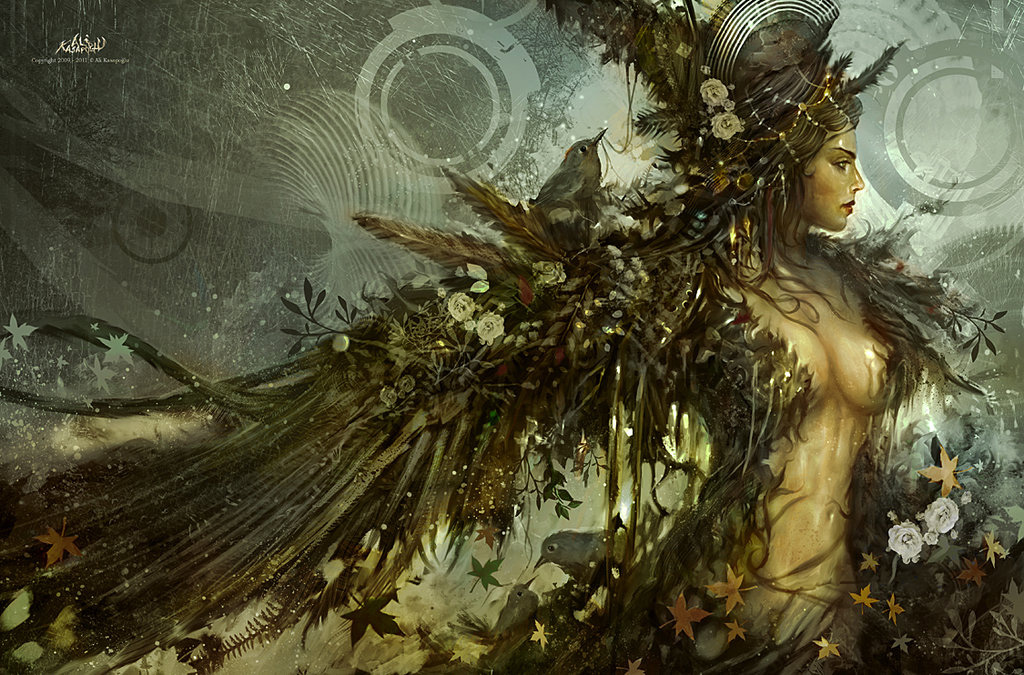
Digital art selected for the Daily Inspiration #1039

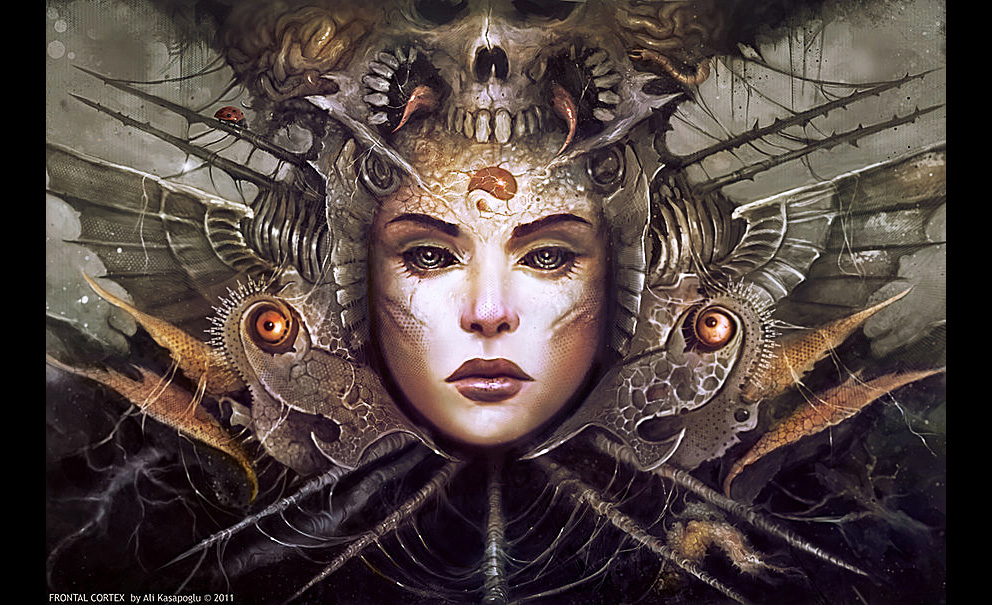
Digital art selected for the Daily Inspiration #1039

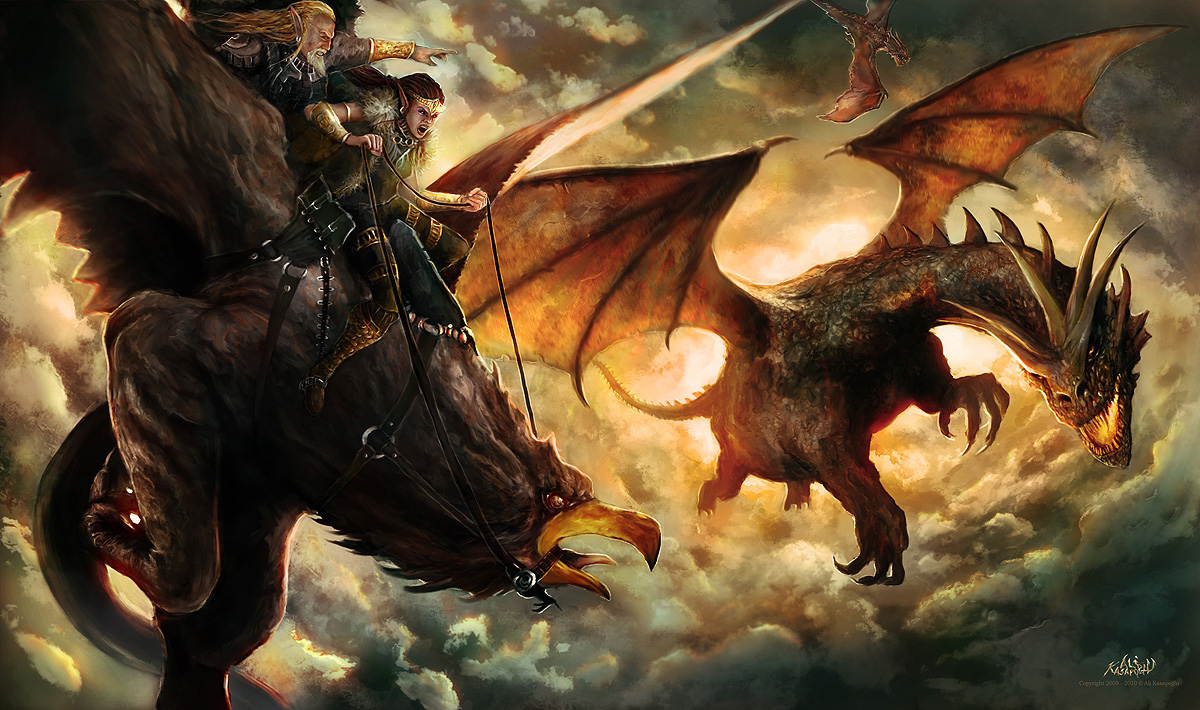
Digital art selected for the Daily Inspiration #1039

Fabio

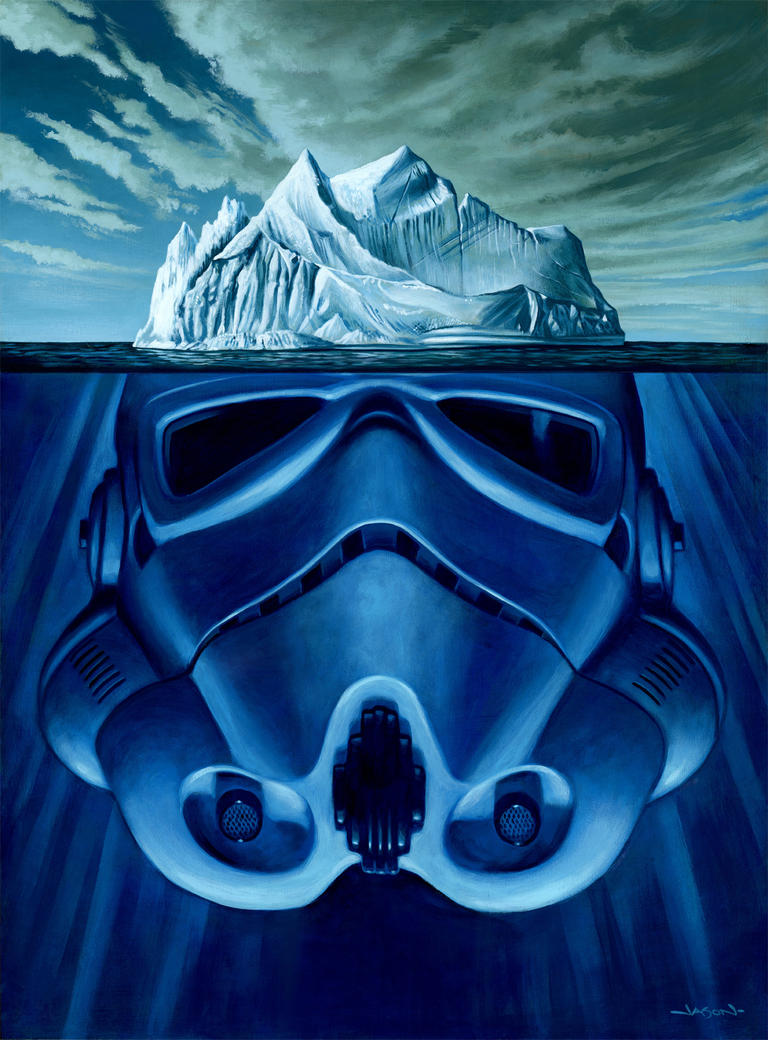
Digital art selected for the Daily Inspiration #1039

Digital art selected for the Daily Inspiration #1039

Fabiano

Digital art selected for the Daily Inspiration #1039

Digital art selected for the Daily Inspiration #1039

Gabi Miranda

MMTWO

Digital art selected for the Daily Inspiration #1039

Phonoric

Digital art selected for the Daily Inspiration #1039

tridus

Digital art selected for the Daily Inspiration #1039

Send your suggestions via Twitter to http://twitter.com/abduzeedo using #abdz in the
end of the tweet.

@Daniel_Nelson

Digital art selected for the Daily Inspiration #1039

Digital art selected for the Daily Inspiration #1039

Digital art selected for the Daily Inspiration #1039

Digital art selected for the Daily Inspiration #1039

@LetMeBeInspired

Digital art selected for the Daily Inspiration #1039

Digital art selected for the Daily Inspiration #1039

Digital art selected for the Daily Inspiration #1039

Digital art selected for the Daily Inspiration #1039

Send your RAWZ suggestions via Raw.Abduzeedo.com

Artists Inspire Artists

Digital art selected for the Daily Inspiration #1039

bee1nephotography

Digital art selected for the Daily Inspiration #1039

cuded

Digital art selected for the Daily Inspiration #1039

Digital art selected for the Daily Inspiration #1039

esotericmindzet

Digital art selected for the Daily Inspiration #1039

estudiozoid

Digital art selected for the Daily Inspiration #1039

Digital art selected for the Daily Inspiration #1039

Digital art selected for the Daily Inspiration #1039

inspirationfeed

Digital art selected for the Daily Inspiration #1039

Digital art selected for the Daily Inspiration #1039

Digital art selected for the Daily Inspiration #1039

Junior Caramez

Digital art selected for the Daily Inspiration #1039

LeRoi3

Digital art selected for the Daily Inspiration #1039

ikach

Digital art selected for the Daily Inspiration #1039

Digital art selected for the Daily Inspiration #1039

nenuno

Digital art selected for the Daily Inspiration #1039

Digital art selected for the Daily Inspiration #1039

nick

Digital art selected for the Daily Inspiration #1039

nick-schmidt

Digital art selected for the Daily Inspiration #1039

pk

Digital art selected for the Daily Inspiration #1039

Digital art selected for the Daily Inspiration #1039

Digital art selected for the Daily Inspiration #1039

Digital art selected for the Daily Inspiration #1039

qubestudio

Digital art selected for the Daily Inspiration #1039

thaeger

Digital art selected for the Daily Inspiration #1039

Vince Knight

About the author

My name’s François Hoang and my alias’s Aoiro Studio. I am a self-taught freelance graphic designer from Montreal, Canada. I’ve been designing for the last 4 years and really have a huge passion for creative work that makes a difference in our world. If you wanna requests some posts; I can be found on Twitter or feel free to contact me.

Sponsored Links:


Abduzeedo Inspiration Guide for Designers at Amazon

Posted in Blog | Comments Off on Daily Inspiration #1039