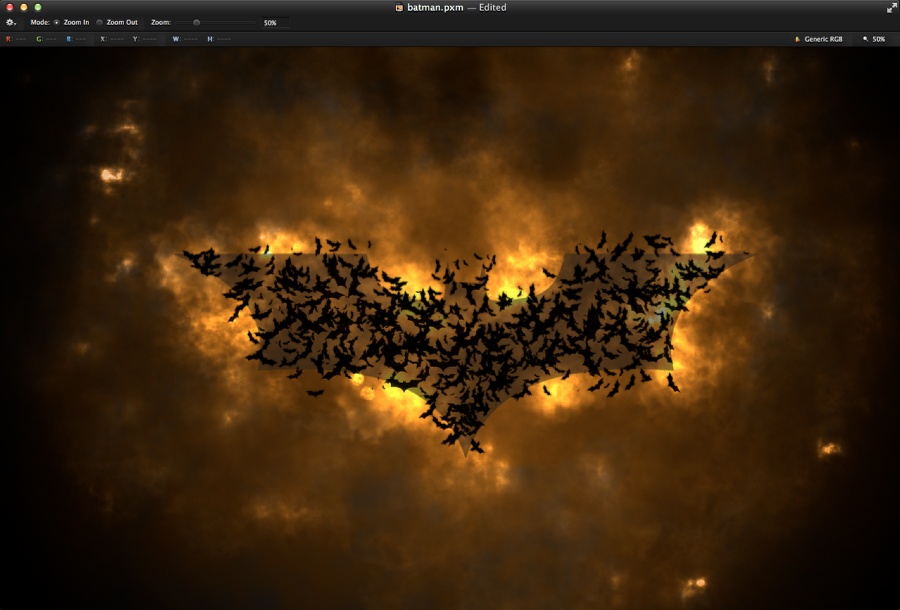
Dark Knight in Pixelmator

The year’s most anticipated movie for me with no doubt is The Dark Knight Rises. I had high hopes for Prometheus, but in the end it was underwhelming. But the new Batman I am sure will not disappoint. With that in mind we decided to come up with some tutorials playing with the subject.

So in this tutorial I will show you how to create a nice composition using the Batman logo in Pixelmator. The technique is quite simple, we will play with some basic techniques and the brush tool. The whole process won’t take more than 45 minutes.

Step 1

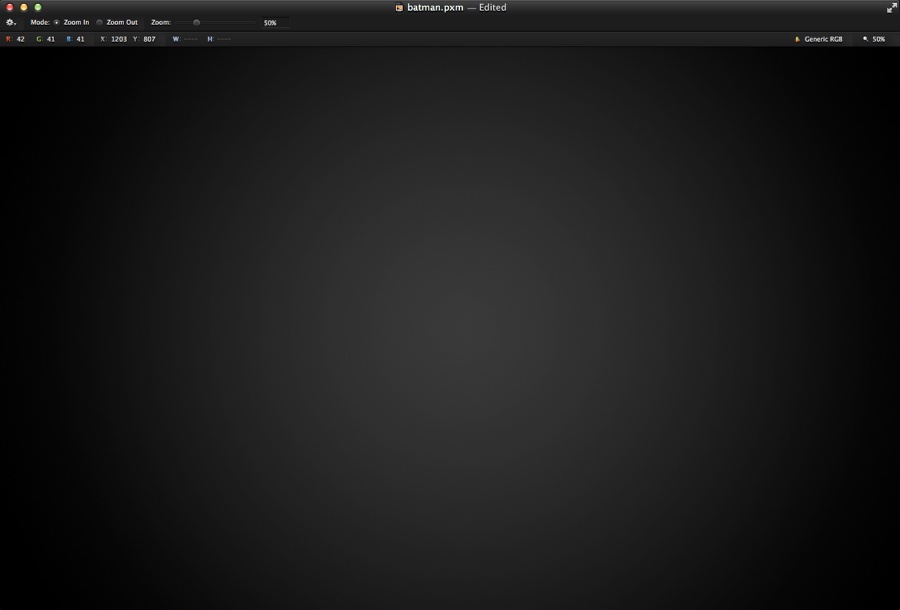
Open Pixelmator and create a new document. I am using 2560×1440 pixels for the size. After that with the Gradient Tool (G), fill the background layer with a radial gradient with dark grey in the center and black on the edges.
Dark Knight in Pixelmator

Step 2

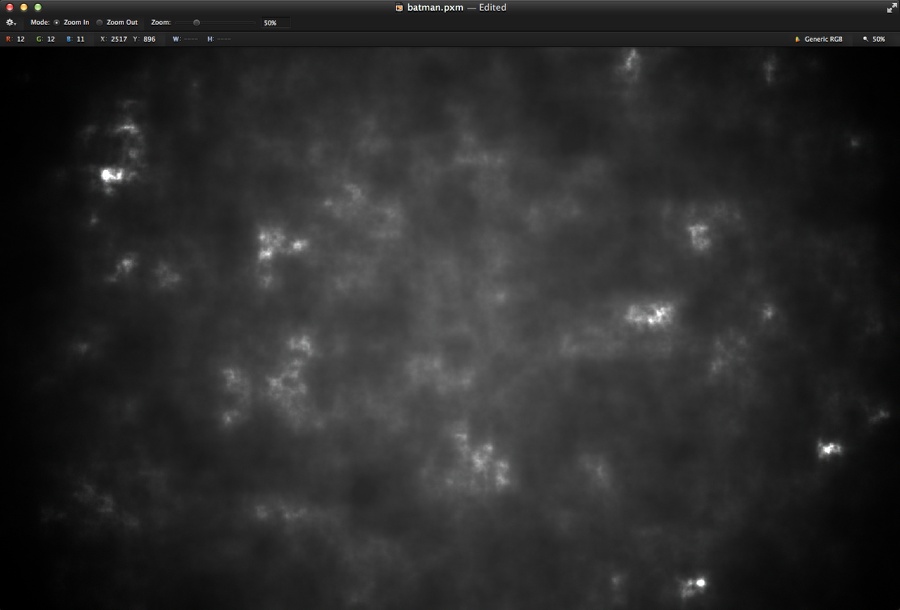
Add a new layer and go to Filter>Generator>Clouds. Use black and white for the colors. After that change the Blending to Color Dodge.
Dark Knight in Pixelmator

Step 3

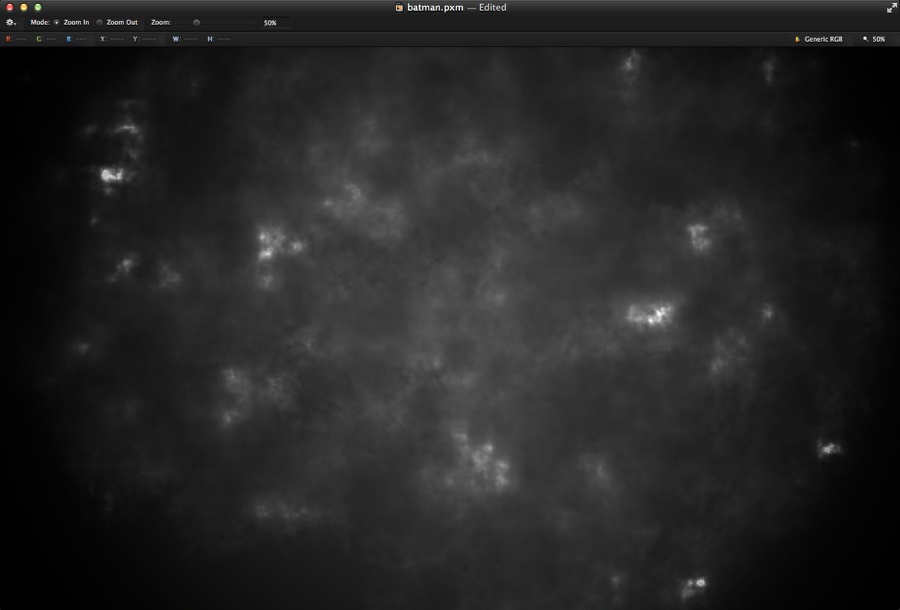
With the layer with the clouds selected go to Layer>Add Layer Mask. Select the mask of the layer and go to Filter>Generator>Clouds. Apply the clouds filter in the mask to make it a bit more real.
Dark Knight in Pixelmator

Step 4

Add another layer on top and fill it with orange. Change the Blending to Overlay and again add a layer mask to the layer and apply the Clouds filter to the mask.
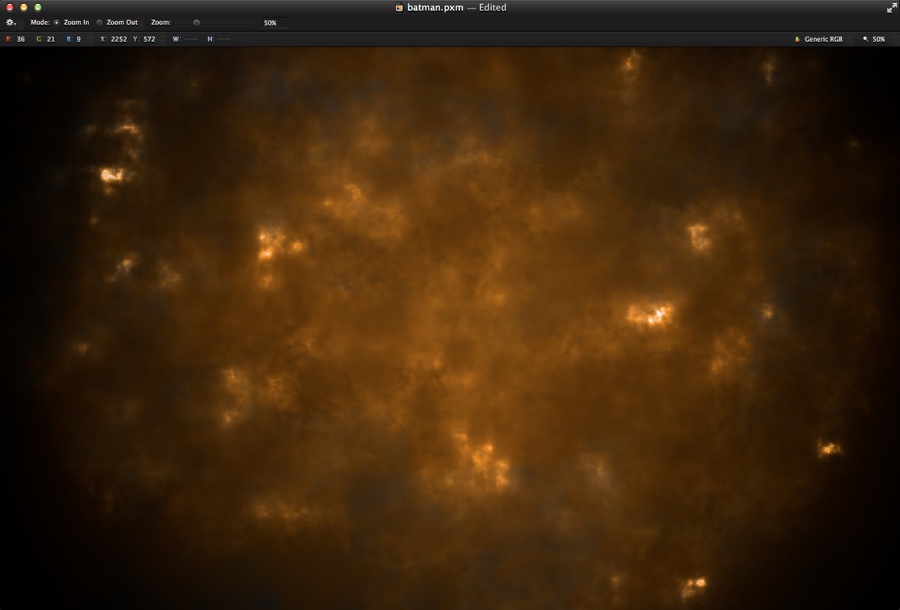
Dark Knight in Pixelmator

Step 5

Add a new layer on top and fill it with black. Change the Blending to Color Dodge and go to View>Show Brushes. Click on the settings gear icon on the Brushes Panel to select a new preset. Select the Smokes one and pick one of the smoke brushes. Then with the Brush Tool (B) start painting with white on the black layer to create some highlights, like a cloud of fire.
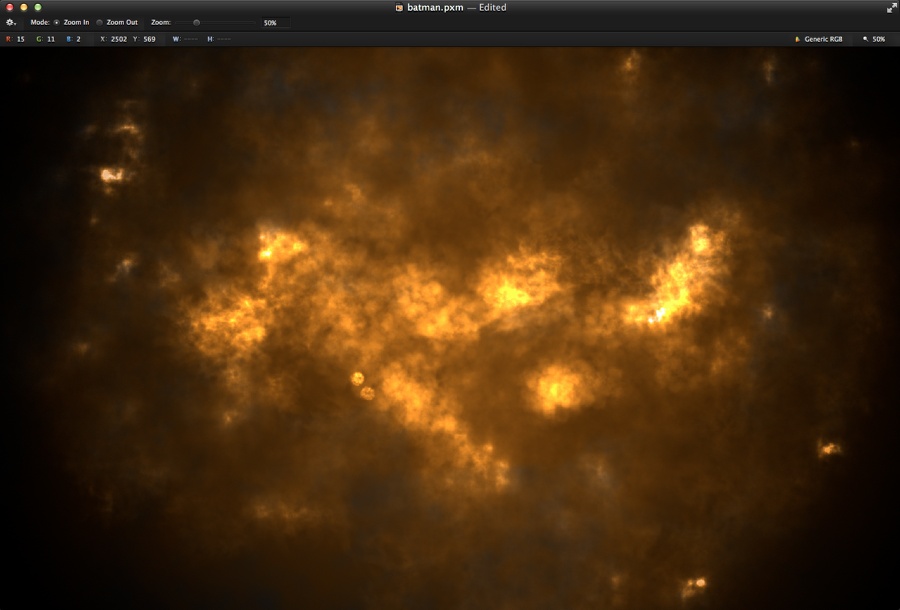
Dark Knight in Pixelmator

Step 6

Add some dark areas as well, but to do that you will have to add a new layer just for the dark areas. Try to create the bat symbol of light and shadows in the center.
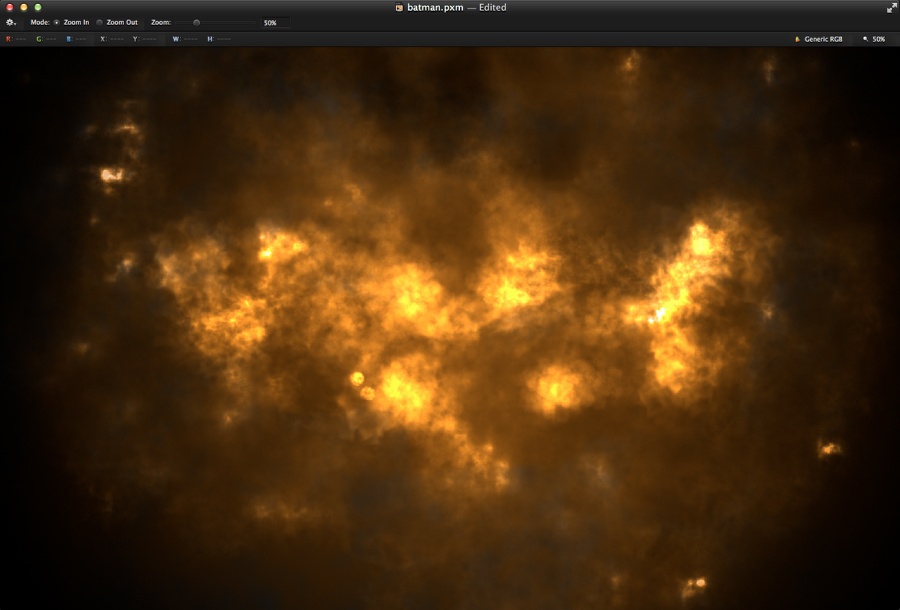
Dark Knight in Pixelmator

Step 7

Do a Google search for the Batman symbol. Then place it on the center of your document for reference. Change the opacity to 40%.
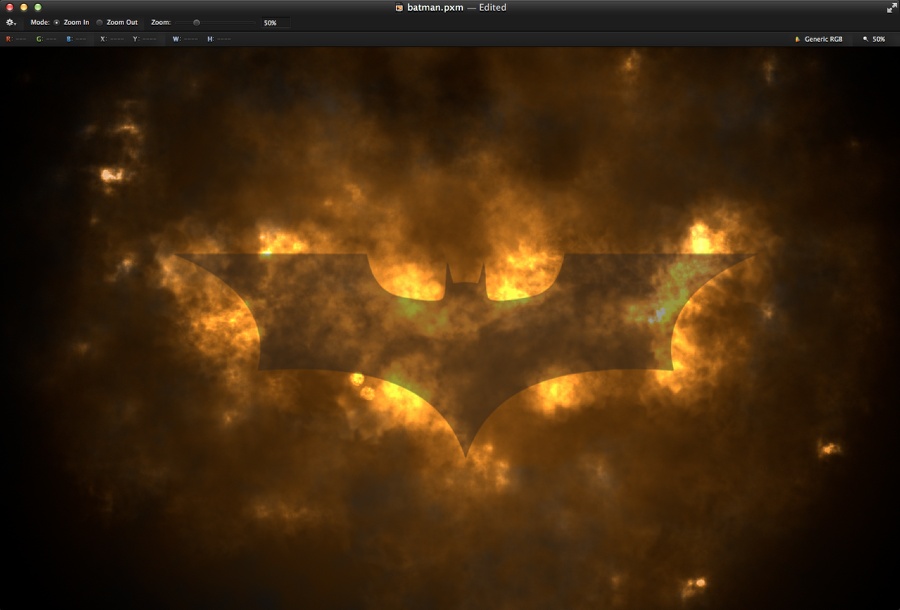
Dark Knight in Pixelmator

Step 8

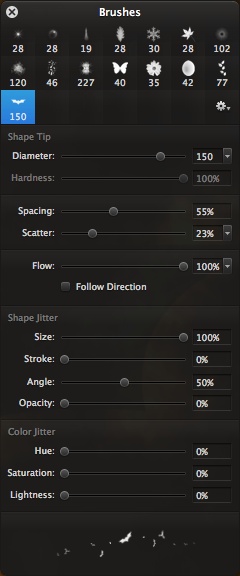
Drag the batman symbol to the brush preset panel. After that change the presets based on the image below. That will create the bats for our composition.
Dark Knight in Pixelmator

Step 9

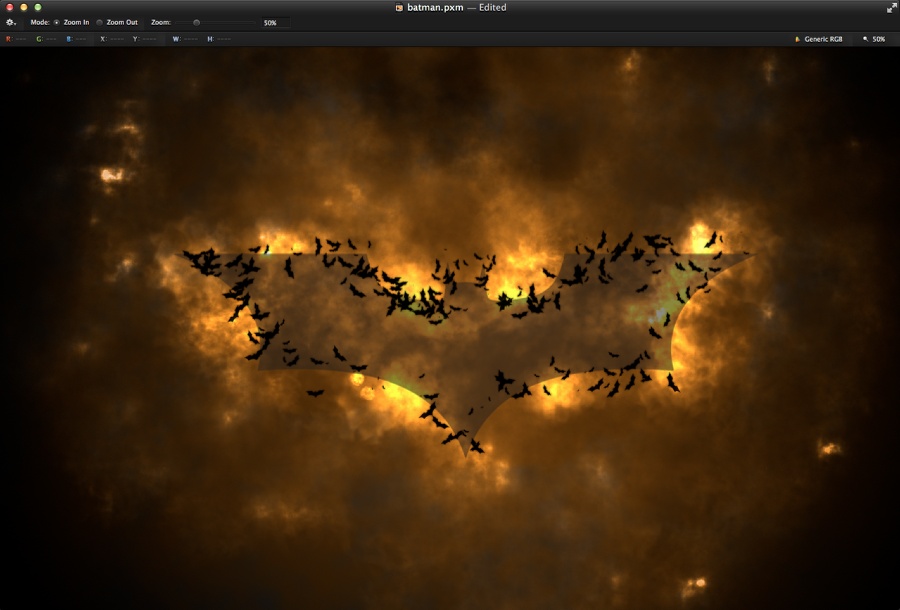
With the Brush Tool (B) start painting some bats using black for the color. Start from the outline of the symbol that way you will have an idea of the area you will be able to paint.
Dark Knight in Pixelmator

Step 10

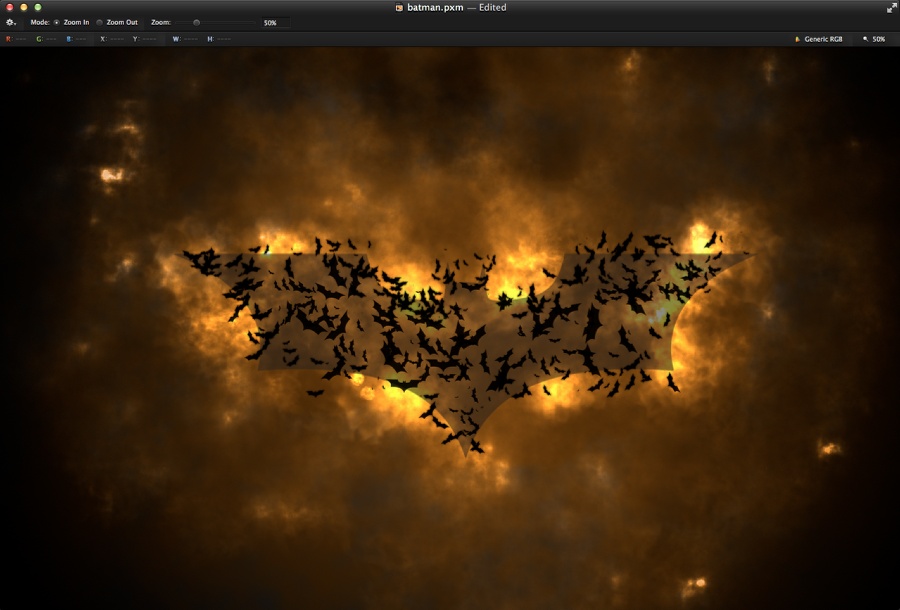
Change the size of the brush and keep painting to create the bat.
Dark Knight in Pixelmator

Step 11

Add some smaller bats.

Dark Knight in Pixelmator

Step 12

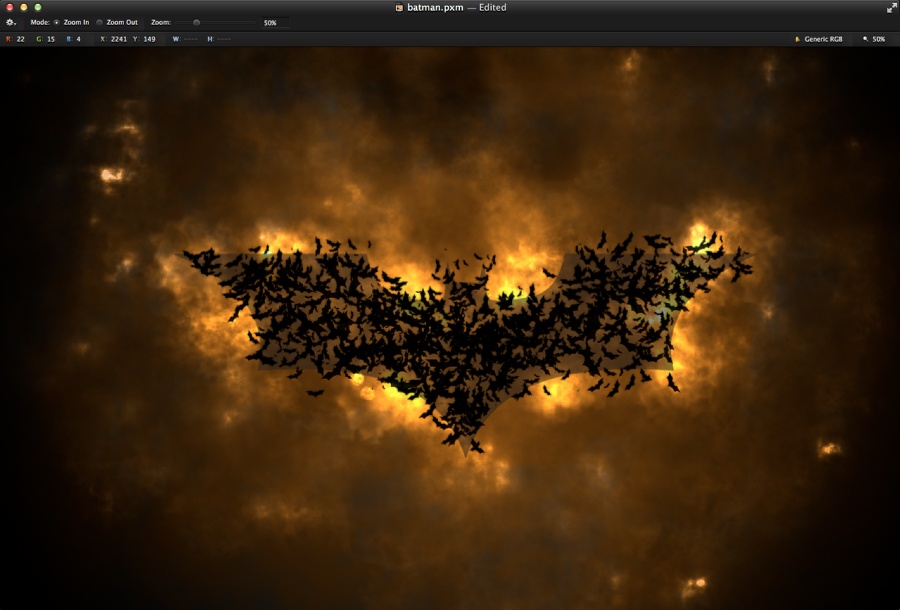
Make the center much more dense with smaller bats.
Dark Knight in Pixelmator

Step 13

Now try to fill some of the empty spaces to make sure that when you hide the reference symbol you will be able to see the big bat based on the Gestalt Principles 🙂
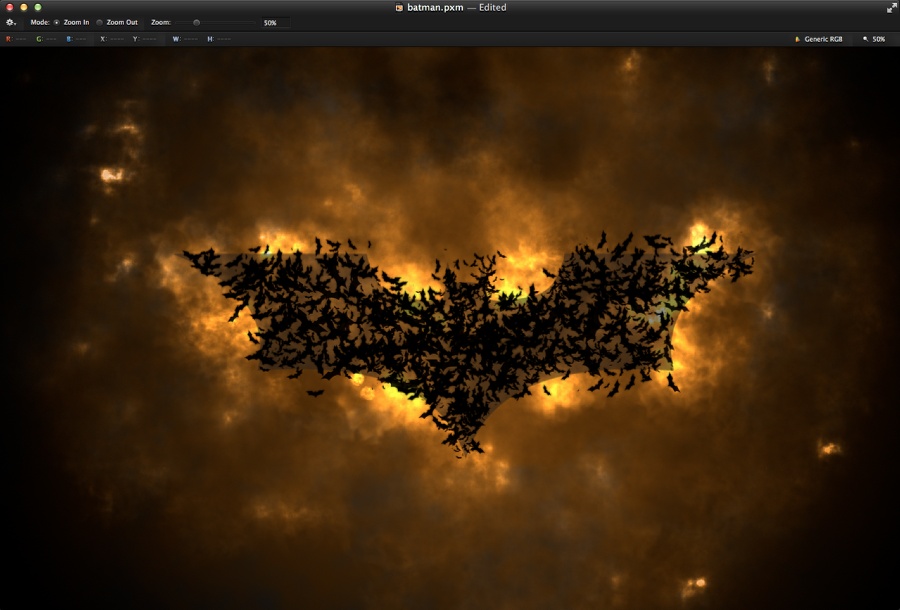
Dark Knight in Pixelmator

Step 14

Hide the symbol and see if it’s easy to spot the batman symbol. If not, just add a few more using the Brush Tool.
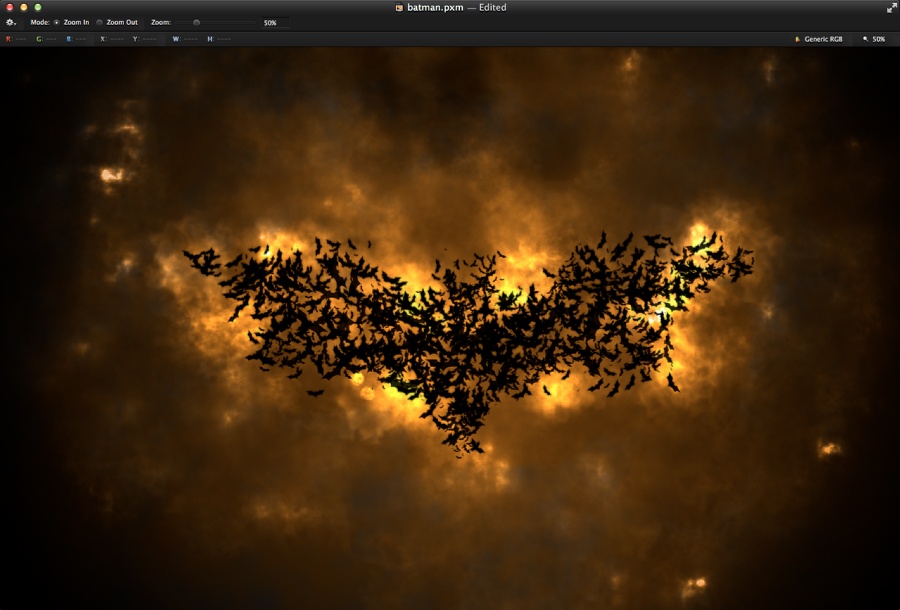
Dark Knight in Pixelmator

Step 15

Still with the Brush Tool, increase the size quite a bit to create some bats flying in to form the big symbol.
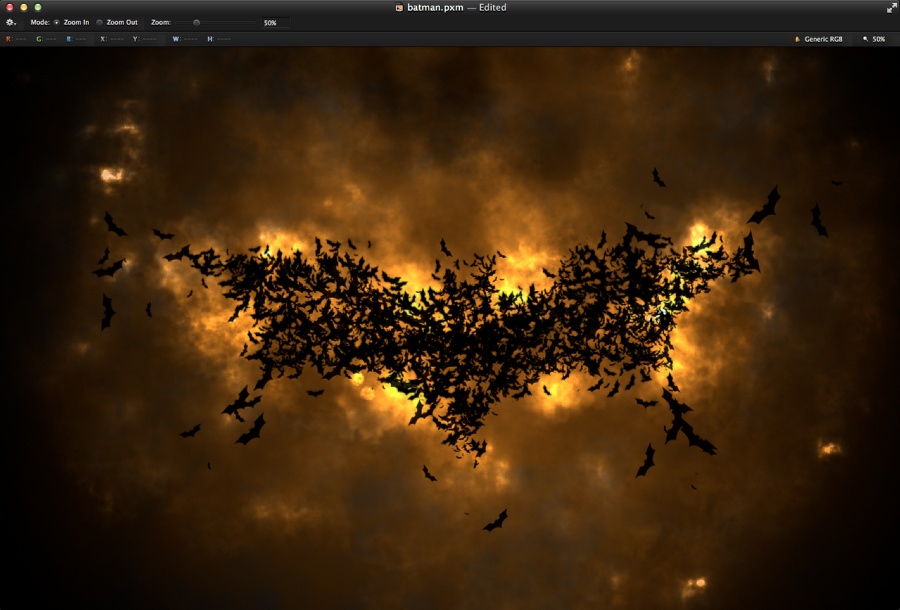
Dark Knight in Pixelmator

Step 16

Now add some bats on the edges of the image.
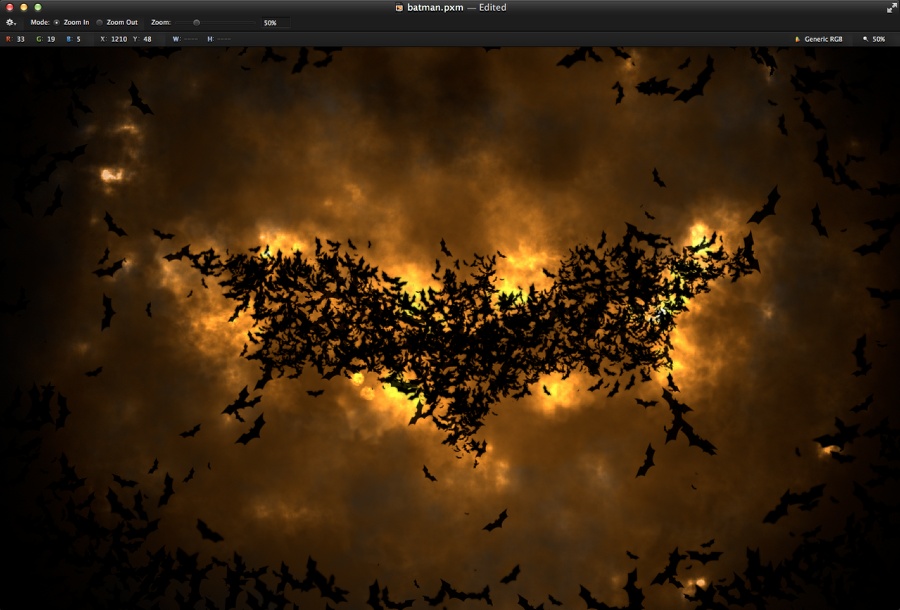
Dark Knight in Pixelmator

Step 17

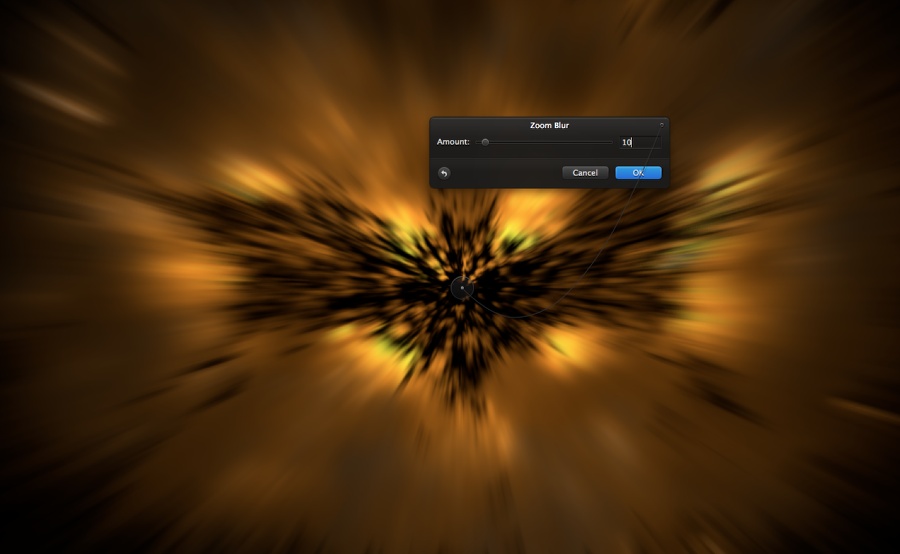
Select all layers and duplicate them. With the new layer selected go to Layer>Merge Layers. You will have one layer with the composition. After that go to Filter>Blur>Zoom Blur. Use 10 for the Amount and center the control in the center. Duplicate this layer so you will have 2 layers with the composition.
Dark Knight in Pixelmator

Step 18

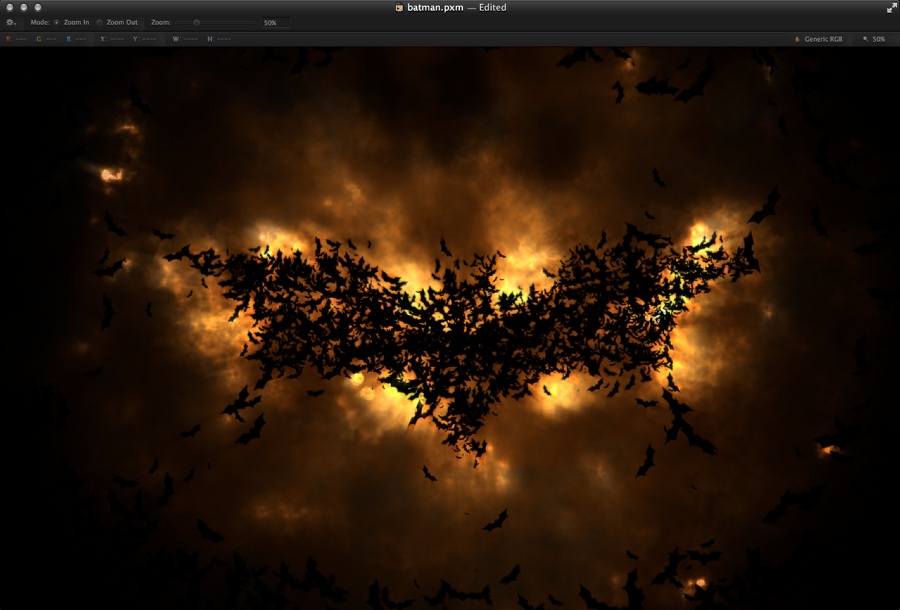
Go to Image>Desaturate. After that change the Blending to Soft Light at 70%.
Dark Knight in Pixelmator

Conclusion

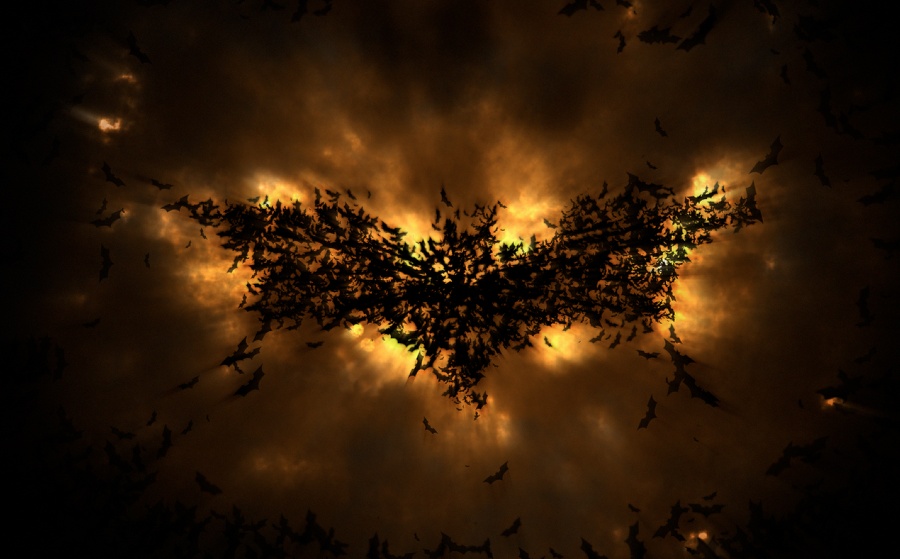
With the other copy of the layer with the zoom blur selected, change the opacity to 20% and the design will be done. You can always tweak it a little bit more if you want, like adding noise or motion blurs. Now it’s your turn to come up with your own version. Enjoy.
Dark Knight in Pixelmator

Download the file

Download the file used for this tutorial

About the author

Abduzeedo is a blog about design. There are all sorts of articles for those who want to look for inspiration. Also you will find very useful tutorials for the most used applications out there, with a special selection of Photoshop Tutorials and Illustrator Tutorials. You can get in follow us via Twitter at @abduzeedo

Sponsored Links:


Abduzeedo Inspiration Guide for Designers at Amazon

Posted in Blog | Comments Off on Dark Knight in Pixelmator

Daily Inspiration #1170

This post is part of our daily series of posts showing the most inspiring images selected by some of the Abduzeedo’s writers and users. If you want to participate and share your graphic design inspiration, You can submit your images and inspiration to RAWZ via http://raw.abduzeedo.com and don’t forget to send your Abduzeedo username; or via Twitter sending to http://twitter.com/abduzeedo.

Do you want to see all images from all Daily Inspirations? Check out http://daily.abduzeedo.com

Akber Ahmed

Digital art selected for the Daily Inspiration #1170

Andréas Bengtsson

Digital art selected for the Daily Inspiration #1170

balarezographics

Digital art selected for the Daily Inspiration #1170

Digital art selected for the Daily Inspiration #1170

Digital art selected for the Daily Inspiration #1170

Bernardo Fontanilla

Digital art selected for the Daily Inspiration #1170

Digital art selected for the Daily Inspiration #1170

Bradley Barger

Digital art selected for the Daily Inspiration #1170

brennanbarrows

Digital art selected for the Daily Inspiration #1170

Digital art selected for the Daily Inspiration #1170

Cedrik Ferrer

Digital art selected for the Daily Inspiration #1170

CHAW

Digital art selected for the Daily Inspiration #1170

Digital art selected for the Daily Inspiration #1170

codiewestphall

Digital art selected for the Daily Inspiration #1170

Digital art selected for the Daily Inspiration #1170

cuded

Digital art selected for the Daily Inspiration #1170

Digital art selected for the Daily Inspiration #1170

Digital art selected for the Daily Inspiration #1170

Digital art selected for the Daily Inspiration #1170

Daniel Muntean

Digital art selected for the Daily Inspiration #1170

Digital art selected for the Daily Inspiration #1170

dayinspiration

Digital art selected for the Daily Inspiration #1170

decaedes

Digital art selected for the Daily Inspiration #1170

Derek Gangi

Digital art selected for the Daily Inspiration #1170

dopesoundblog

Digital art selected for the Daily Inspiration #1170

Eric Crawford

Digital art selected for the Daily Inspiration #1170

Erick Costa

Digital art selected for the Daily Inspiration #1170

Digital art selected for the Daily Inspiration #1170

Érico Santana

Digital art selected for the Daily Inspiration #1170

Fraser Dinsdale

Digital art selected for the Daily Inspiration #1170

gamito

Digital art selected for the Daily Inspiration #1170

Gianni Maranzano

Digital art selected for the Daily Inspiration #1170

Greg

Digital art selected for the Daily Inspiration #1170

hattostore

Digital art selected for the Daily Inspiration #1170

Digital art selected for the Daily Inspiration #1170

hughheffernan

Digital art selected for the Daily Inspiration #1170

Digital art selected for the Daily Inspiration #1170

Hugo Pereira

Digital art selected for the Daily Inspiration #1170

ikemsmith

Digital art selected for the Daily Inspiration #1170

jaabbar

Digital art selected for the Daily Inspiration #1170

Digital art selected for the Daily Inspiration #1170

Digital art selected for the Daily Inspiration #1170

Digital art selected for the Daily Inspiration #1170

jdmotion

Digital art selected for the Daily Inspiration #1170

jeffyjeff

Digital art selected for the Daily Inspiration #1170

jh20j

Digital art selected for the Daily Inspiration #1170

Jon Nyquist

Digital art selected for the Daily Inspiration #1170

Kevin Roodhorst

Digital art selected for the Daily Inspiration #1170

Let me be inspired

Digital art selected for the Daily Inspiration #1170

liam-j-ross

Digital art selected for the Daily Inspiration #1170

licuadoramultimedia

Digital art selected for the Daily Inspiration #1170

Magyar László

Digital art selected for the Daily Inspiration #1170

maheshartist

Digital art selected for the Daily Inspiration #1170

Digital art selected for the Daily Inspiration #1170

Digital art selected for the Daily Inspiration #1170

Maja Vuckovic

Digital art selected for the Daily Inspiration #1170

Digital art selected for the Daily Inspiration #1170

Digital art selected for the Daily Inspiration #1170

Digital art selected for the Daily Inspiration #1170

Digital art selected for the Daily Inspiration #1170

Marc-Daniel

Digital art selected for the Daily Inspiration #1170

markus-designs

Digital art selected for the Daily Inspiration #1170

Digital art selected for the Daily Inspiration #1170

Meccamotion@gmail.com

Digital art selected for the Daily Inspiration #1170

Nathan

Digital art selected for the Daily Inspiration #1170

nenuno

Digital art selected for the Daily Inspiration #1170

Digital art selected for the Daily Inspiration #1170

Digital art selected for the Daily Inspiration #1170

Pelayo Rodriguez

Digital art selected for the Daily Inspiration #1170

peter hammarstrand

Digital art selected for the Daily Inspiration #1170

Pushkar Bhatt

Digital art selected for the Daily Inspiration #1170

ruudvaneijk

Digital art selected for the Daily Inspiration #1170

Stedesign

Digital art selected for the Daily Inspiration #1170

svpermachine

Digital art selected for the Daily Inspiration #1170

thaeger

Digital art selected for the Daily Inspiration #1170

Digital art selected for the Daily Inspiration #1170

thedika

Digital art selected for the Daily Inspiration #1170

Digital art selected for the Daily Inspiration #1170

Digital art selected for the Daily Inspiration #1170

Thomas vd Kuijl

Digital art selected for the Daily Inspiration #1170

Valentin Rodriguez

Digital art selected for the Daily Inspiration #1170

Digital art selected for the Daily Inspiration #1170

Vincent Ribbers

Digital art selected for the Daily Inspiration #1170

weeklyinspiratiion

Digital art selected for the Daily Inspiration #1170

WhatAnART

Digital art selected for the Daily Inspiration #1170

wsdmcalavera

Digital art selected for the Daily Inspiration #1170

About the author

I’m from Brazil, co-founder of Zee with Fabio. Nowadays I like to play with Fireworks, Photoshop and improve my skills in CSS. If you wanna request some posts, please feel free to contact me or follow on Twitter.

Sponsored Links:


Abduzeedo Inspiration Guide for Designers at Amazon

Posted in Blog | Comments Off on Daily Inspiration #1170