Playing with the new Pixelmator 2.1 – Giveaway: iPod Touch and 3 Pixelmator

The Pixelmator team has just launched the new version of their really cool photo editing tool called Pixelmator 2.1 Cherry. We have been playing with a beta version for a few days and we are really impressed with the new features especially the new Effect Browser and of course the speed.

To give you an extra incentive to play with Pixelmator we will show you how to design a really cool vintage style image and the best part, we will give out 3 copies of the new Pixelmator and an iPod Touch.

So the rules are simple. Download the Pixelmator file and come up with a version based on this image. You have total freedom to do anything you want. Once you get your design, just post it at http://raw.abduzeedo.com/submit with the title Pixelmator Contest: Title of your design.

Step 1

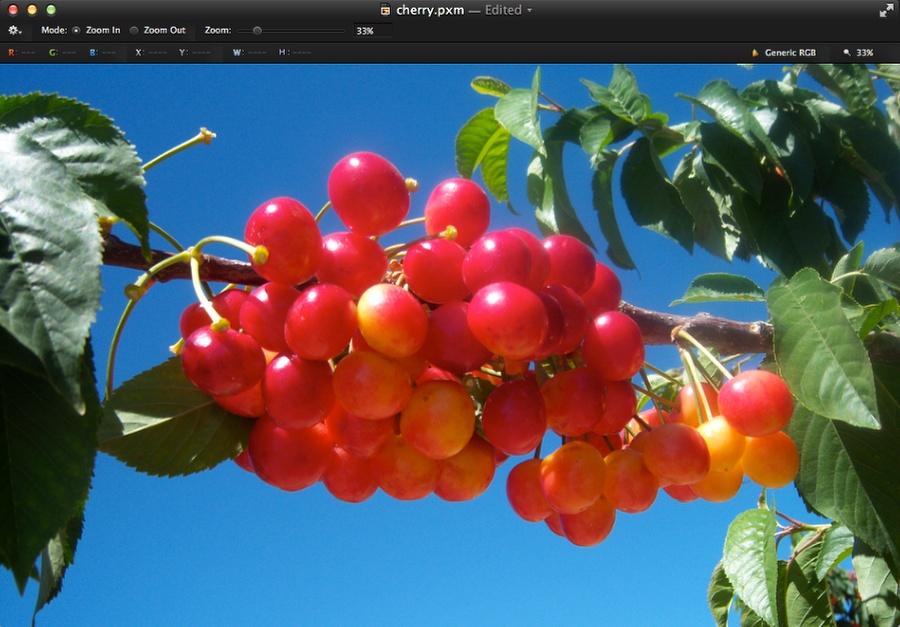
Open Pixelmator and create a new document. I am using 2880×1800 pixels. After that import a photo. I am using a photo of cherries by kksummers found at http://www.flickr.com/photos/tkksummers/2561778086/.
Playing with the new Pixelmator 2.1

Step 2

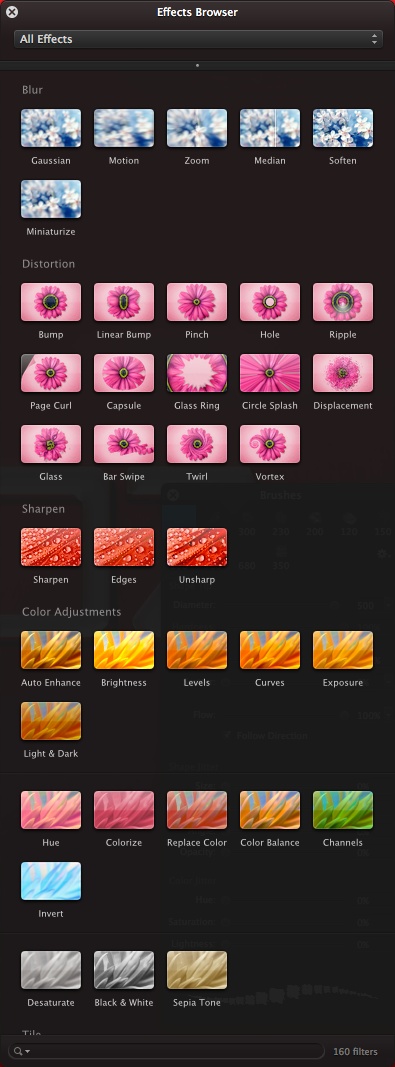
One of the coolest new features in Pixelmator 2.1 is the new Effect Browser. You can browse and preview the effects in real time. Really cool. So Let’s start adjusting the image. Scroll down to the Color Adjustments.
Playing with the new Pixelmator 2.1

Step 3

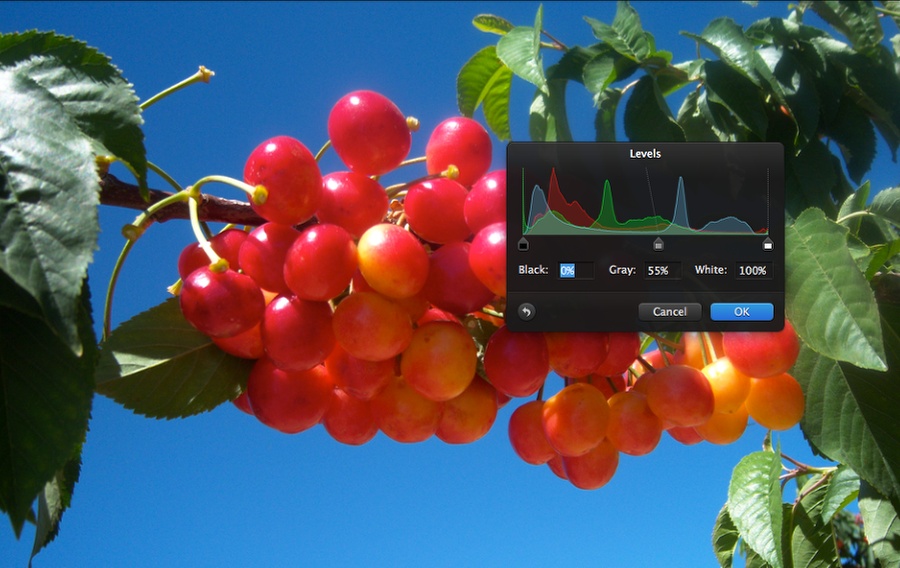
Select Levels and then adjust the Gray to 55%. The easiest way to apply the effect is by either double clicking or drag the thumbnail of the filter to the image.
Playing with the new Pixelmator 2.1

Step 4

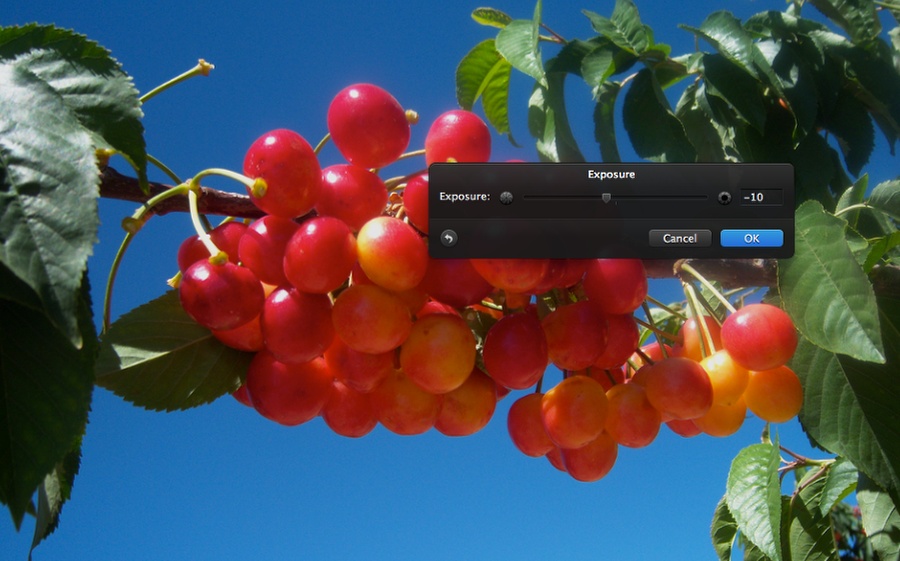
Select Exposure and change it to -10.
Playing with the new Pixelmator 2.1

Step 5

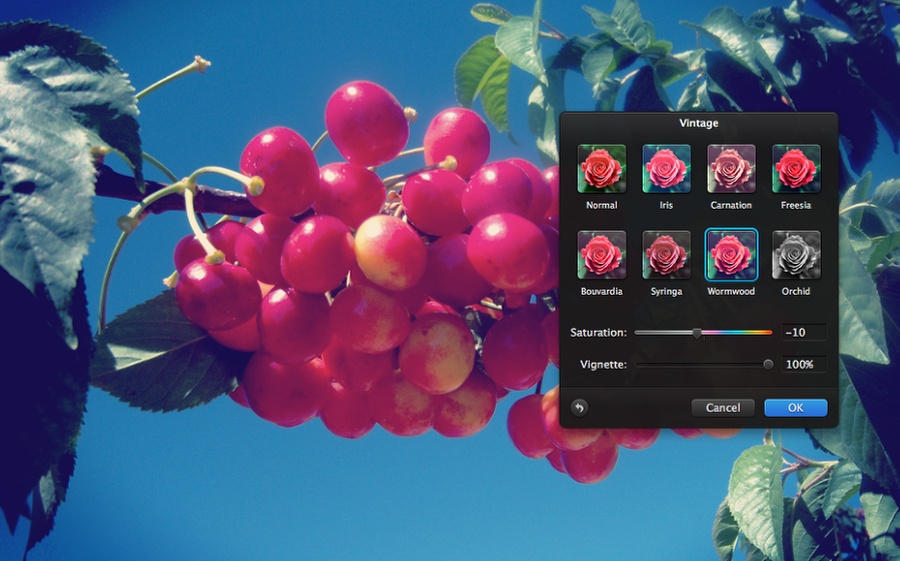
Scroll down and go to Vintage. Vintage is a new set of presets that create nice vintage filters like Instagram. Select Wormwood and change the Saturation to -10 and the Vignette to 100%.
Playing with the new Pixelmator 2.1

Step 6

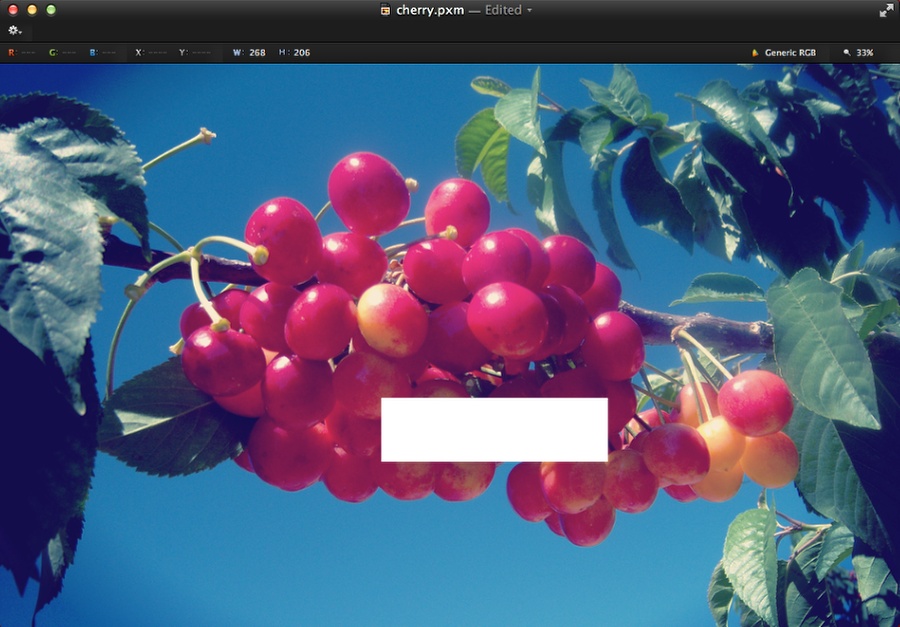
Select the Rectangle Shape. Add a white rectangle in your design.
Playing with the new Pixelmator 2.1

Step 7

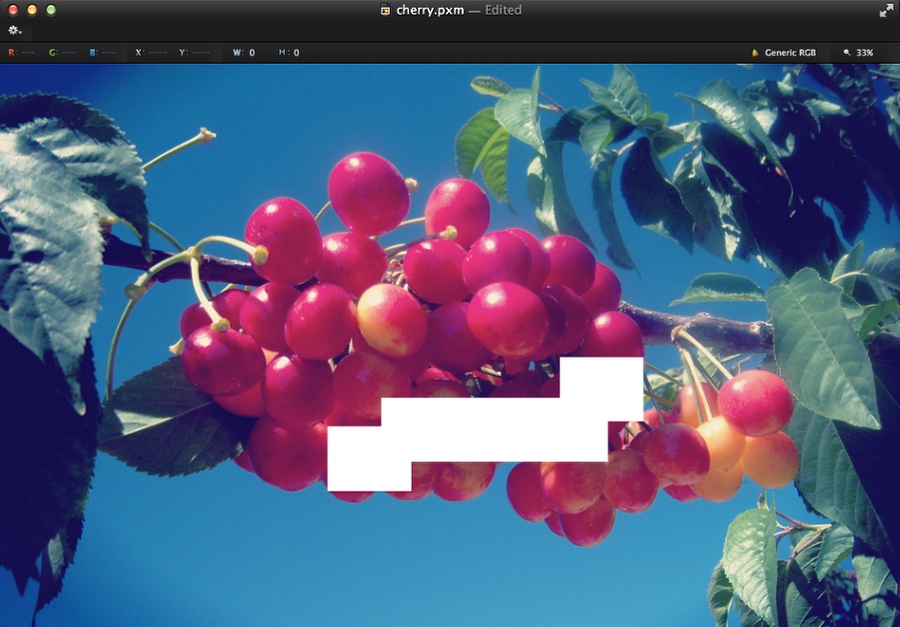
Add another rectangle with the Rectangle Shape tool. Then duplicate it and position the new ones like the image below.
Playing with the new Pixelmator 2.1

Step 8

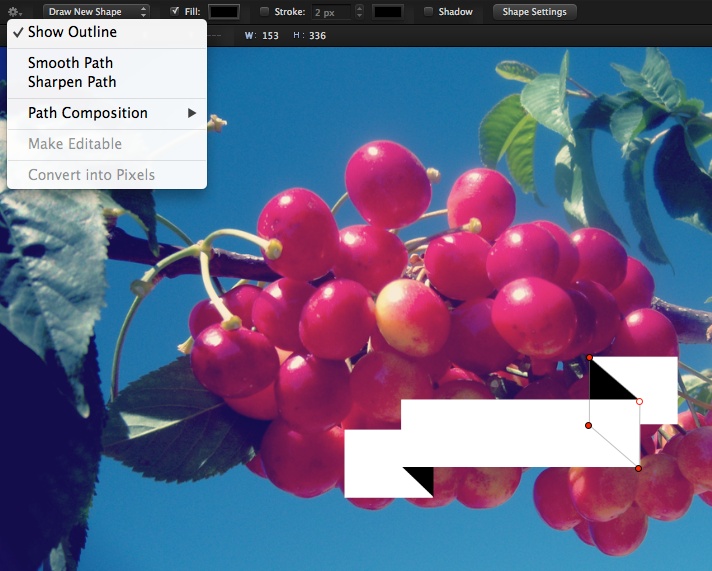
Add another rectangle, this time in black. Position it in the end of the big retangle and click on the little gear icon on the top left of the canvas window. Select Make Editable. Move the vertices to create a sort of 3D ribbon effect. Use the image below for reference.
Playing with the new Pixelmator 2.1

Step 9

With the Type Tool (T) add the texts Pixelmator and Cherry using the font Mensch http://www.losttype.com/font/?name=mensch. For the Pixelmator text use black and for the Cherry text use white.
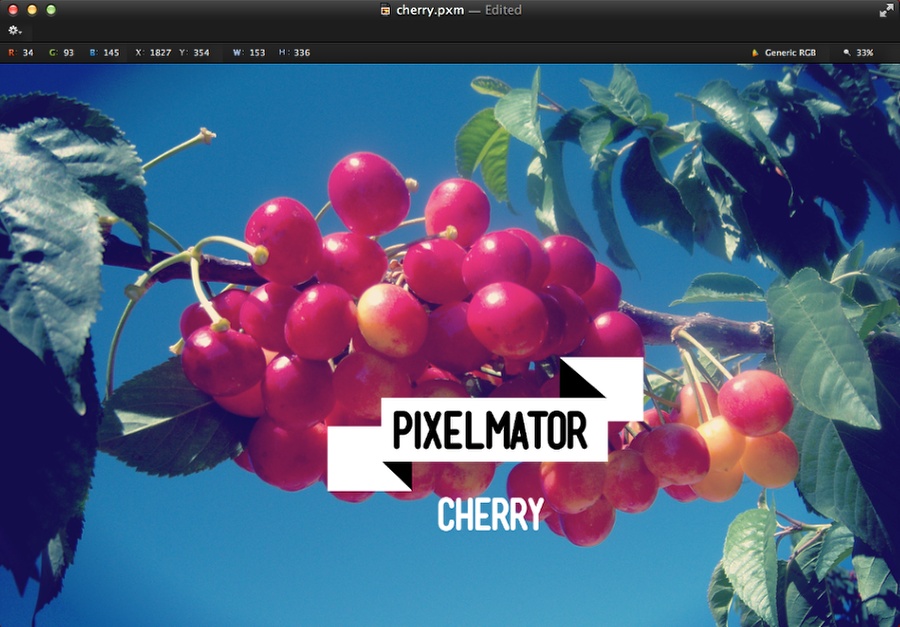
Playing with the new Pixelmator 2.1

Step 10

With the Rectangle Shape tool add another rectangle, this time like a line going from the edge to the word Cherry. After that duplicate 3 times to create lines like the image below.
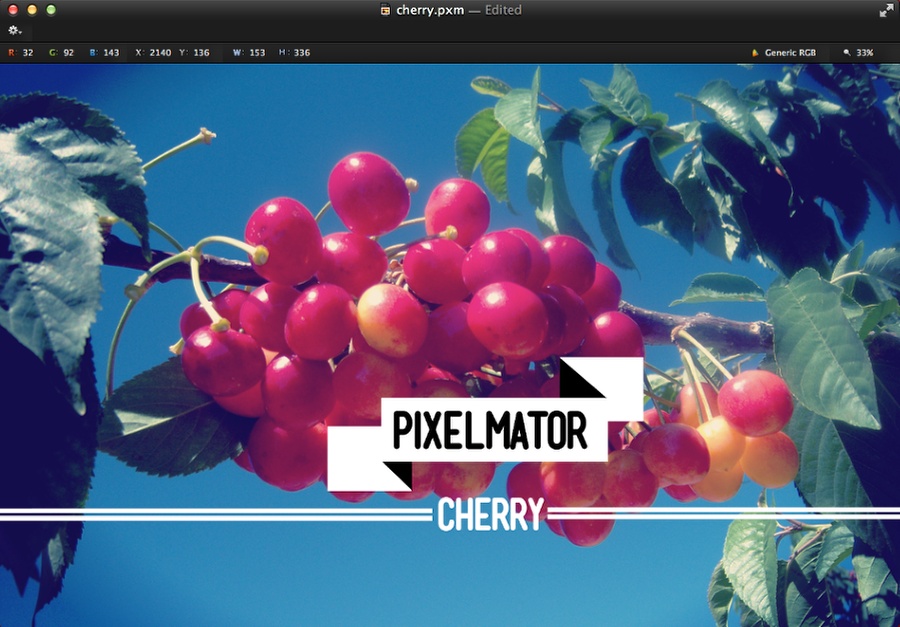
Playing with the new Pixelmator 2.1

Step 11

Add another text, this time the "2.1". Then with the Ellipse Shape tool, create a circle underneath the 2.1.
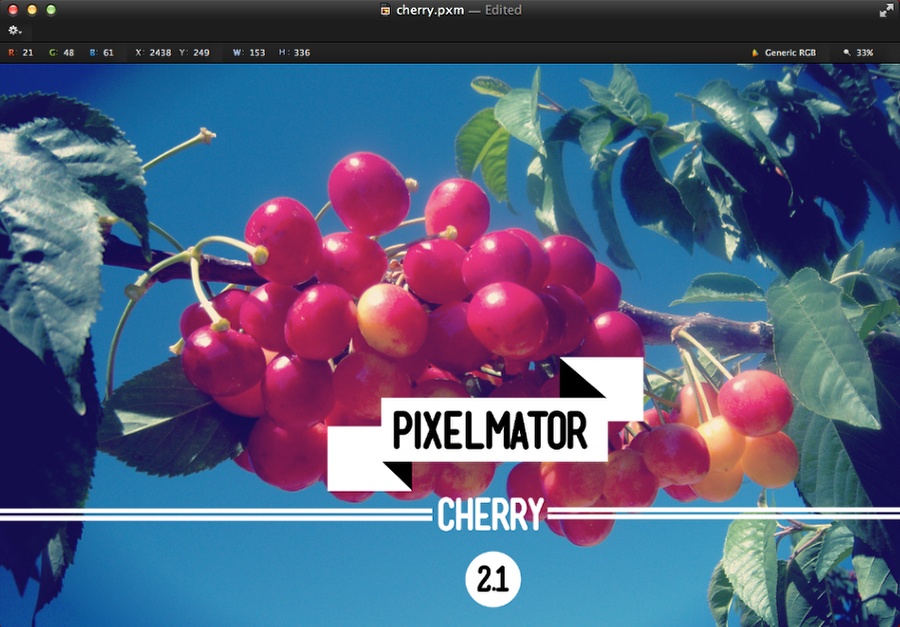
Playing with the new Pixelmator 2.1

Step 12

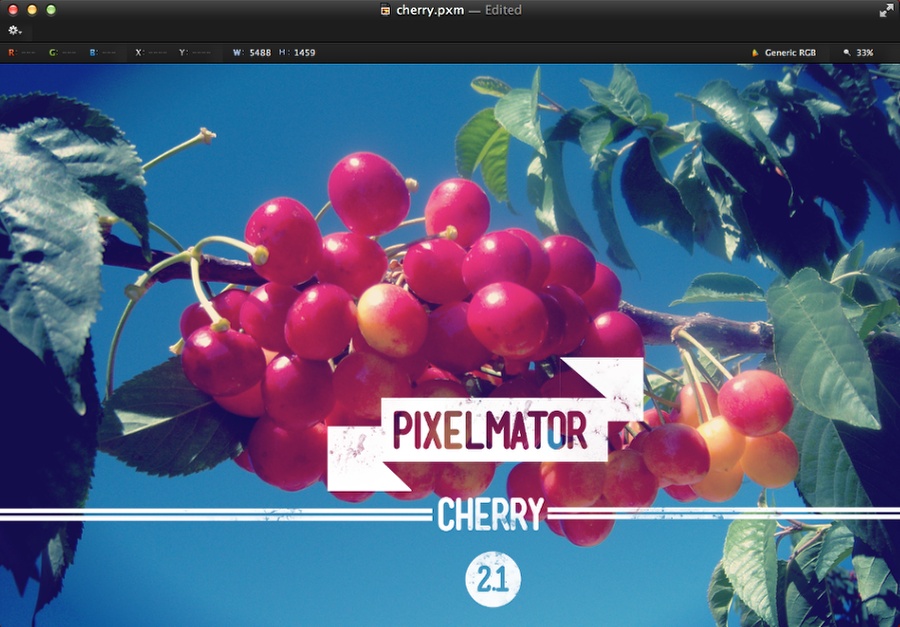
Group all these shapes and texts, then change the Blending of the group to Screen. That way the black will be transparent creating a really nice cut out effect.
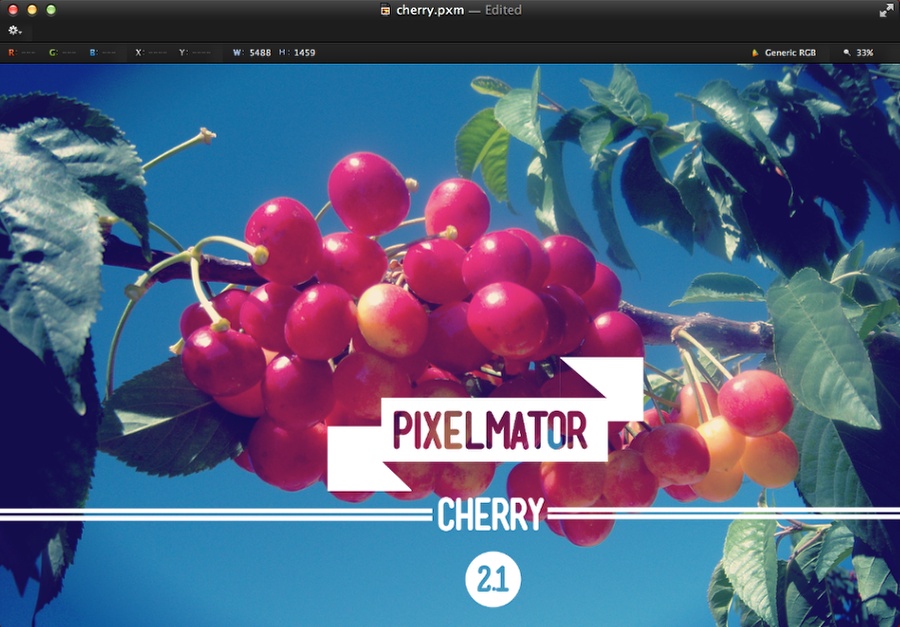
Playing with the new Pixelmator 2.1

Step 13

Go to Layer>Add Layer Mask. Then with the Brush Tool (B). Select the Grunge Brushes preset and paint with black a few dirty areas like the image below.
Playing with the new Pixelmator 2.1

Step 14

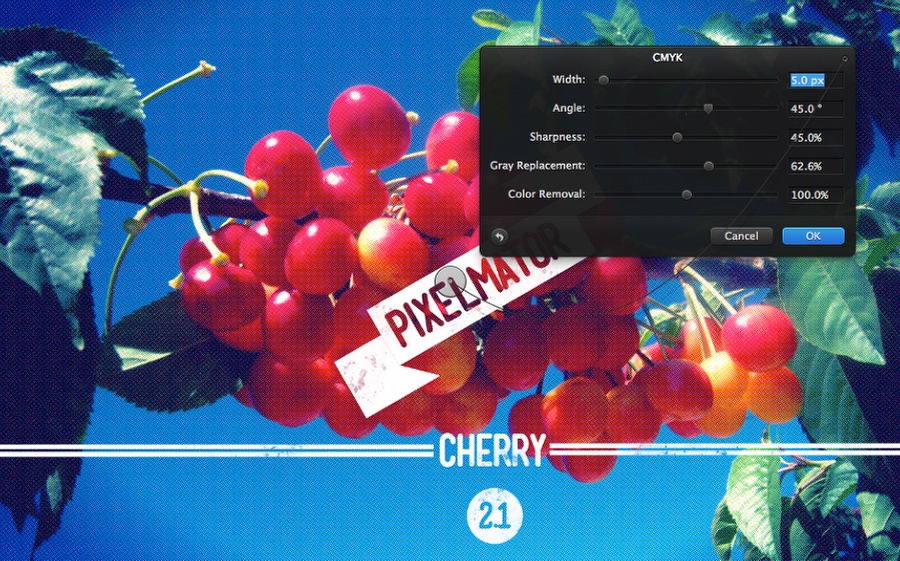
Select the photo layer and then drag the CMYK filter to the image. Use the image below for the values. The idea of this effect is to create a sort of halftone style to the image.
Playing with the new Pixelmator 2.1

Conclusion

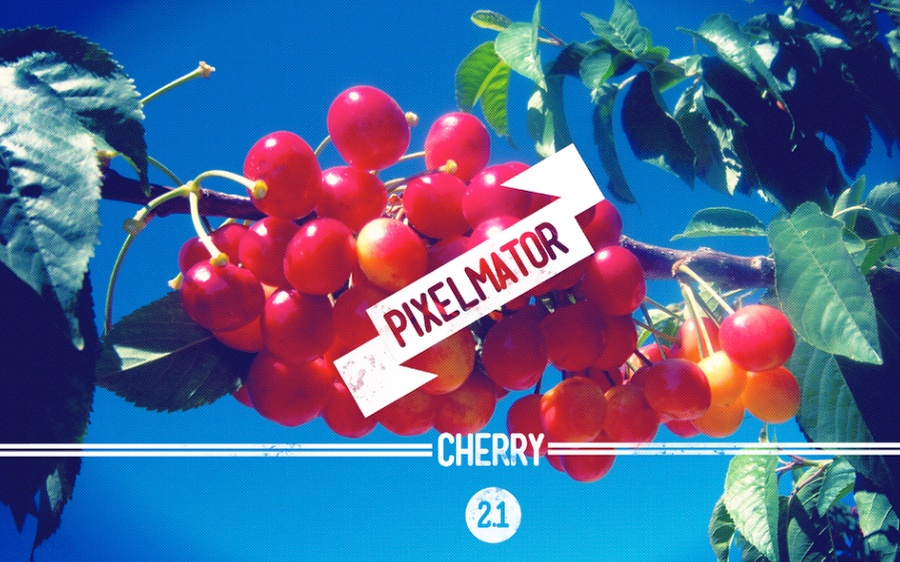
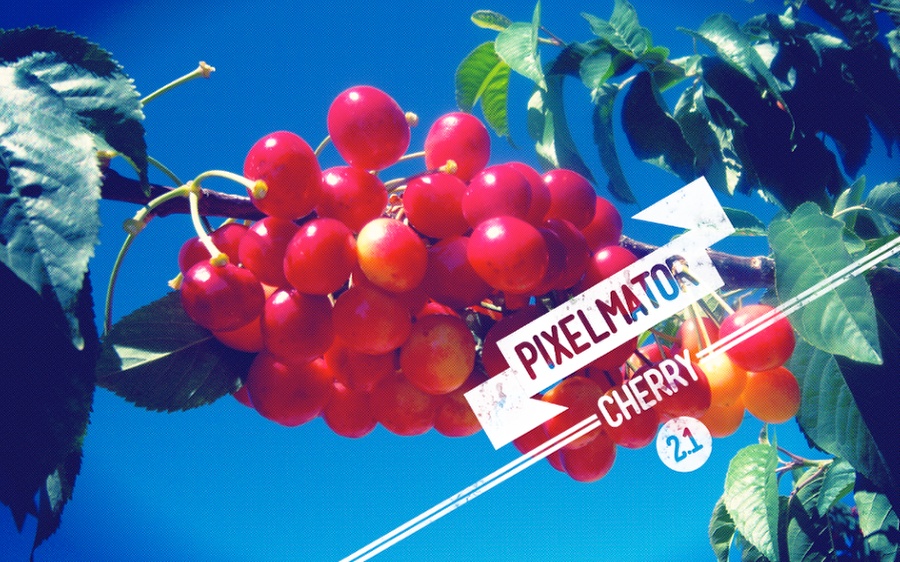
You can rotate the Pixelmator to add more style or you can even rotate everything. The idea is to explore and that’s why we are runing this tutorial and giveway. We want you to download the Pixelmator file and create a new version using the new Pixelmator 2.1 Cherry.

We will pick the 3 winners that will get a license of the new Pixelmator and for the first place we will have an iPod Touch as well.
Playing with the new Pixelmator 2.1

Playing with the new Pixelmator 2.1

Download the Pixelmator file


Download the Pixelmator file used for this tutorial

About the author

Abduzeedo is a blog about design. There are all sorts of articles for those who want to look for inspiration. Also you will find very useful tutorials for the most used applications out there, with a special selection of Photoshop Tutorials and Illustrator Tutorials. You can get in follow us via Twitter at @abduzeedo

Sponsored Links:


Abduzeedo Inspiration Guide for Designers at Amazon

Posted in Blog | Comments Off on Playing with the new Pixelmator 2.1 – Giveaway: iPod Touch and 3 Pixelmator

Depthcore Chapter XLIV – ECHOES

Yesterday a new chapter of Depthcore was released and and I was completely amazed by the quality of it’s work and the creativity along the members. From drawings to typography, from illustrations to photo manipulations, even music is displayed in this new chapter. Check it out!

To view entire chapter visit ECHOES


Depthcore Chapter XLIV - ECHOES

A SONG OF MADNESS | Radu Pop


About ECHOES

The Depthcore Collective is delighted to release it’s 44th Chapter, “ECHOES”. Featuring work themed around the concept of reflected sound, thought and memory, “ECHOES” is a diverse collection of artwork produced by members old and new over the course of the last eight months.

This Chapter embodies it’s theme in several interesting ways. We’ve had a great showing from old members, artists who have been releasing with us for years and years. This is juxtaposed with more work from new members (and more new members) than any Chapter in recent history, including some members who got their start in digital art after seeing our early exhibitions. We’re seeing styles that take the aesthetics of yesterday and present today’s phase of it’s evolution, as well as work that directly references aesthetic touchstones from our past sitting next to work created in a style never before present in a Depthcore Chapter; echoes converging that mirror the old and then move on to create the new.

Whilst perusing the Chapter in preparation for writing this article, it occurred to me that this may well be the first Chapter where traditional art outweighs digital. We’ve worked hard to create a balanced aesthetic within the collective, but it seems that in analysing our memories and delving into our past to create this exhibition, many of our members are reverting to their creative point of origin. There are also more series of work in this Chapter than ever before – quite appropriate when one considers the “Echoes” theme.

Here are some of the images from ECHOES, to view the entire chapter visit depthcore.com/chapter/echoes


Depthcore Chapter XLIV - ECHOES
FJAER | Waldez Snegotskiy


Depthcore Chapter XLIV - ECHOES

LAIN WITH THE KRAKEN | Erik Schumacher


Depthcore Chapter XLIV - ECHOES
BEAUTY ECHOES | Pete Harrison


Depthcore Chapter XLIV - ECHOES
CLASSIC DISASTER | Heiko Klug


Depthcore Chapter XLIV - ECHOES

SOUND VISION | Taylor Crisdale


Depthcore Chapter XLIV - ECHOES
REVERBERATION_01 | Peter Olschinsky


Depthcore Chapter XLIV - ECHOES

TIME TRAVEL IN A TIME OF REGRET | Jared K. Nickerson


Depthcore Chapter XLIV - ECHOES

ACID WASHED DREAMS | Ronald Ashburn


Depthcore Chapter XLIV - ECHOES

A SYMMETRY | Emeric Trahand


Depthcore Chapter XLIV - ECHOES

BURIAL | Mike Harrison & Justin Maller


Depthcore Chapter XLIV - ECHOES

SMOOTH | João Oliveira


About the author

Hi there! I’m Paulo Canabarro, 26 year old web designer – paulocanabarro.com I’m from Brazil currently living and working out of Providence RI, USA. I’m truly passionate about design of all kinds, finding and sharing inspiration here has become part of my life. If you like to know more about me or get in touch visit my website paulocanabarro.com Stock me at Twitter and Dribbble

Sponsored Links:

Advertising banner by Media Militia Free Design Resources


Abduzeedo Inspiration Guide for Designers at Amazon

Posted in Blog | Comments Off on Depthcore Chapter XLIV – ECHOES